
Introduction
Zentitle API keys are used to authenticate your application server with our licensing server. These keys are 16 character random alphanumeric strings which are generated on the Zentitle dashboard. These should be supplied as part of the API call when performing activation, deactivation and other interactions between your SaaS application and the Zentitle Licensing server.
API Keys on the Zentitle Dashboard
API keys are generated and managed on the Webservices page of the Zentitle dashboard. On the black Navigation bar, go the Settings menu and select the Webservices item as shown below.
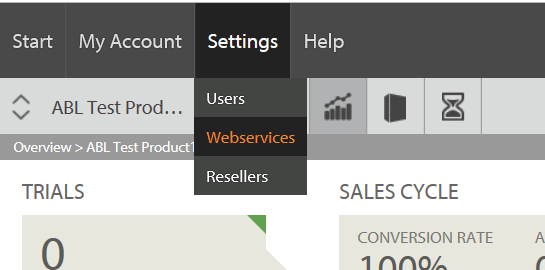
This will take you to the Webservices page. The SOAP Webservices/Webhooks tab will take you to the SOAP Webservices account setup and Webhooks information page. For API Keys, click the API Keys tab.
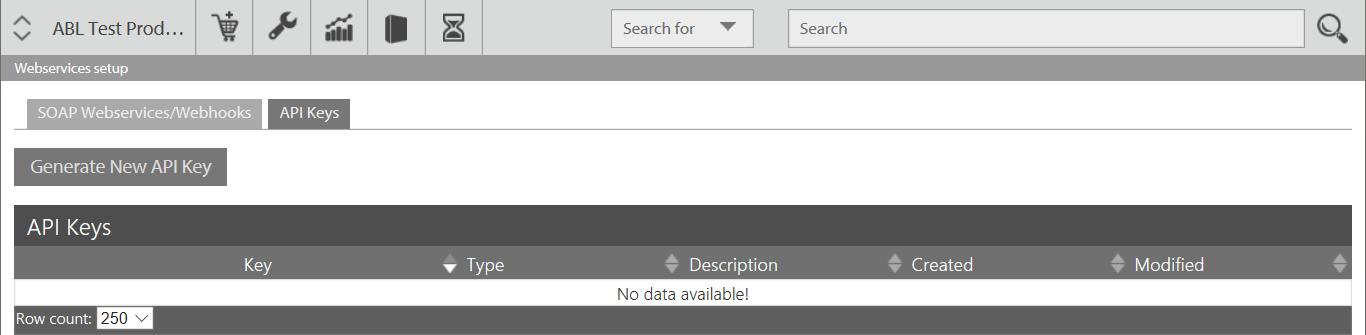
This will show the Generate New API Key button and the API Keys table containing existing API Keys.
Generating an API Key
Click the Generate New API Key button to create an API key. This will launch the Add Key popup form shown below.
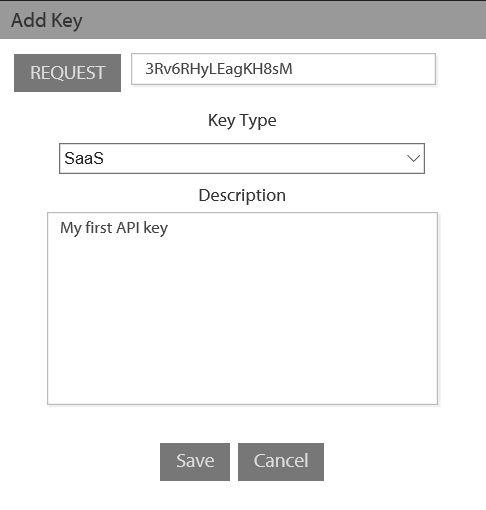
Each press of the Request button will generate a random API key. The Key Type drop down will enable you to select the type of API key generated. At present, there is only one type, 'SaaS', although additional types may be introduced in future. You may also add a description note to your key in the space provided.
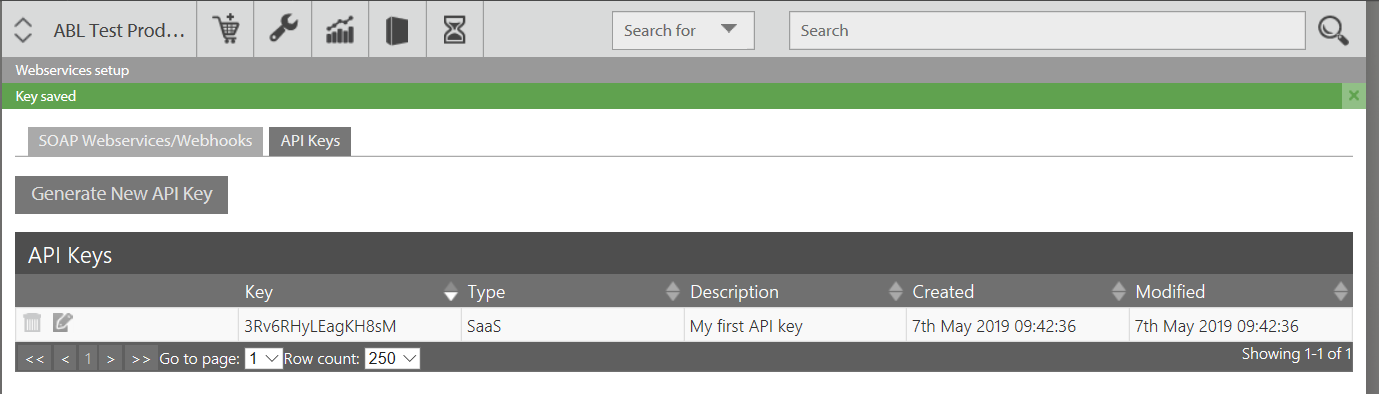
Having defined your key, you may click either the Save or Cancel buttons to carry out the corresponding action. If you save the Key, you will see it appear in the API Keys table as shown below.
Editing an API Key
You can edit an API key in the table by clicking its edit  icon in the first column. This will launch the following edit dialog:
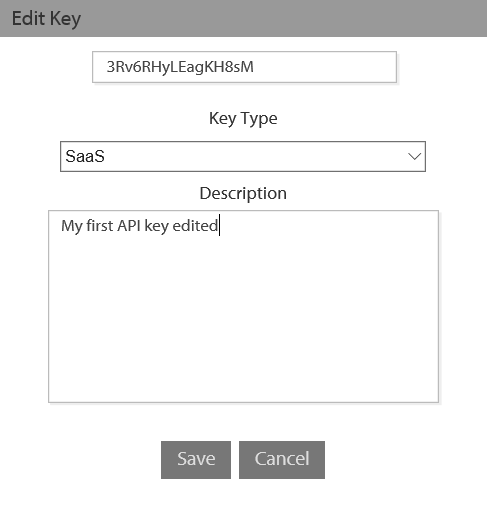
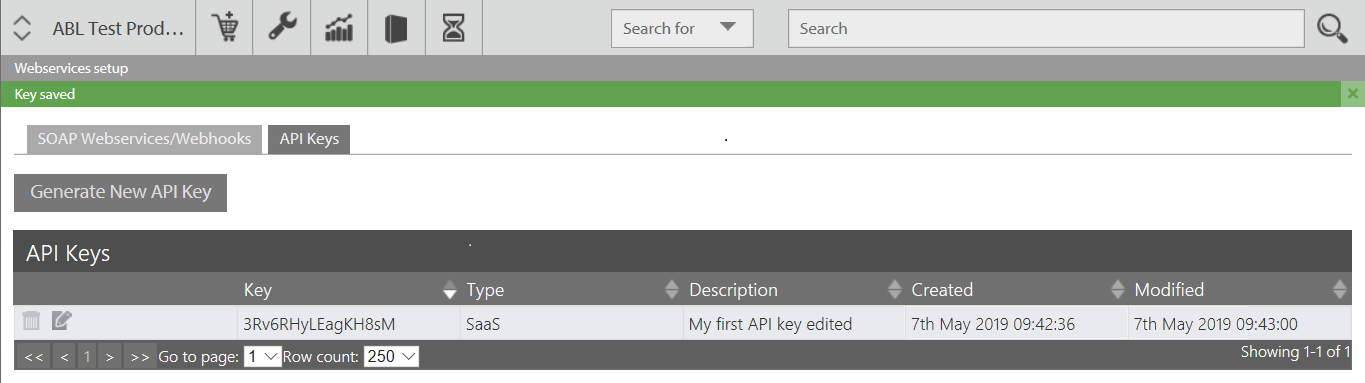
You cannot change the key itself but you can change the description and will be able to change the type as new types are introduced. Saving the result will update the entry for this key in the table:
Deleting an API Key
An API Key can be deleted by clicking the delete  icon in its corresponding row. On confirming delete, this key will be permanently deleted and removed from the API Keys table.