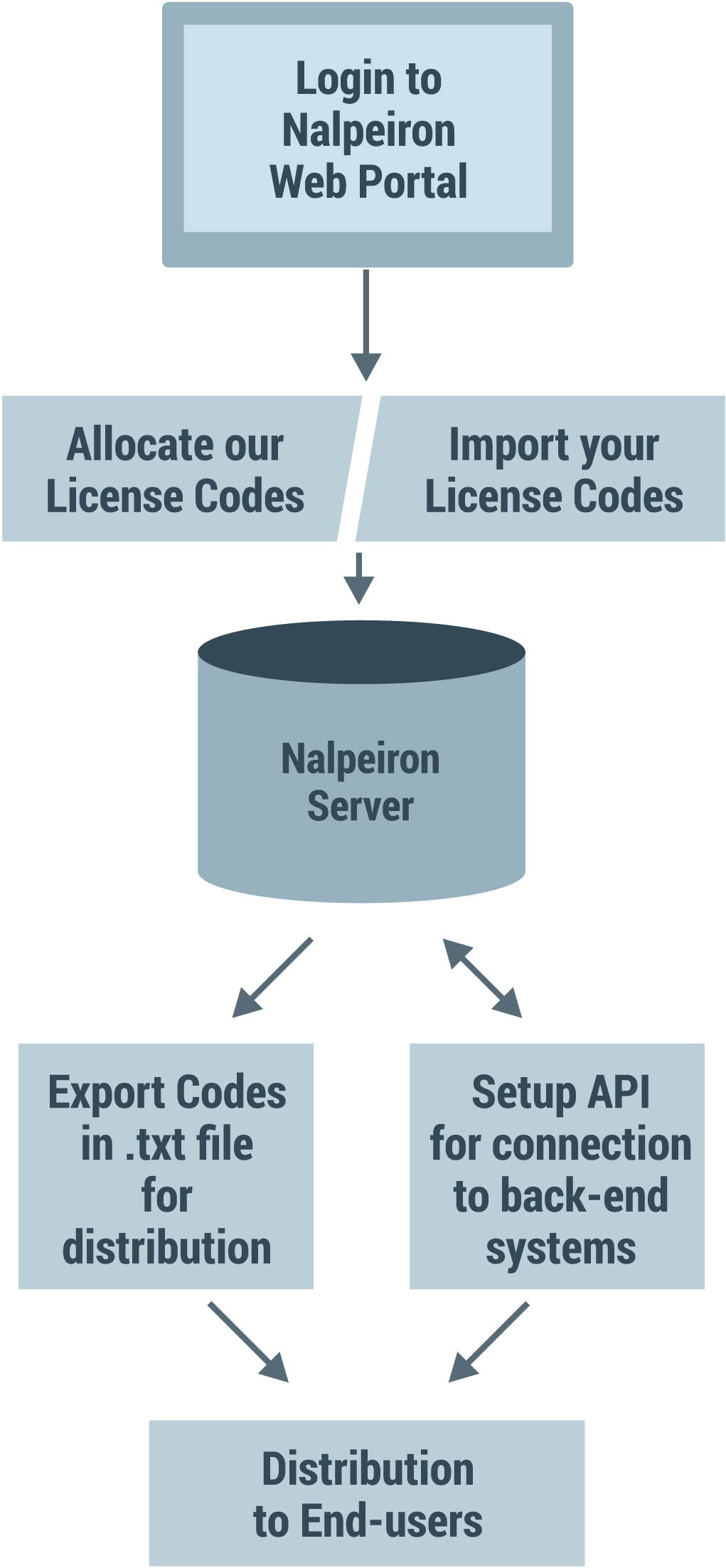
Moving from an existing in-house or other licensing is difficult, but Nalpeiron simplifies things with many tools to bring over clients and to re-use existing entitlements in Zentitle.
Change can be difficult for users so let's make life as simple for them as we can.
Let them use their current license codes, and/or entitlements, and where possible simply update their applications and have the install process migrate them to Zentitle without them having to do anything.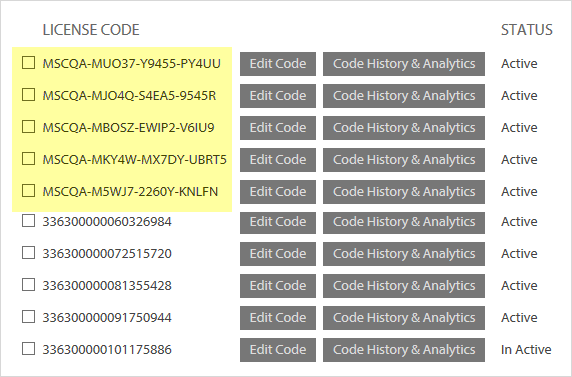
With Zentitle users are not forced to get a new license code (key) or change ingrained habits.
Zentitle allows you to configure licensing to match (or change) existing Users entitlements within our system, and then to match existing license codes (keys) that users already use.
Once we have imported your existing issued license codes and entitlements into our system, all you need to do is roll out an update to the base with your latest application with the Zentitle licensing library, you can even automatically activate the users silently (assuming they have some form of Internet access), and then you will have switched to Zentitle with little to no action on the end user - great customer service and very convenient for the customer.
A big bonus is that changes to the end user setup from this point will be far easier than before using our Total Application Agility functionality and you will also be able to gather an incredible amount of Usage Analytics into the bargain!
Rules for imported licenses:
- Max 50 Chars
- No Spaces
- XML Friendly only - no special chars i.e. None of these chars = < > / “ ‘
- Not a CSV file, just a simple text file, each code line by line
Example:
CODEA
CODEB
CODEC
See the attached "LCImport.txt" for an example import file.
Getting Started
For more details on how this works with Zentitle, please see the article on allocating codes or contact us for further details on how to migrate to us.