
Licensing Integration
and
Analytics Integration
Introduction:
In this article we are going to add a sample code project to your own application using C/C++ using Visual Studio 2010 as the IDE. NSA can easily be added to new or existing software as it is a shared library and can be accessed as such. The library is intended to be used with the dlopen family of functions (dlopen, dlclose, dlsym, etc). While it may be possible to link to the NSA library it is not a currently supported option.
If you are programming in C/C++ you may want to also review the simple example here.
Having created your Custom Analytics DLL you will now need to code your project with the quick changes listed below.
Getting Started
1Create a new Visual Studio project, selecting Win32 Console Application as the project type and give the project a name.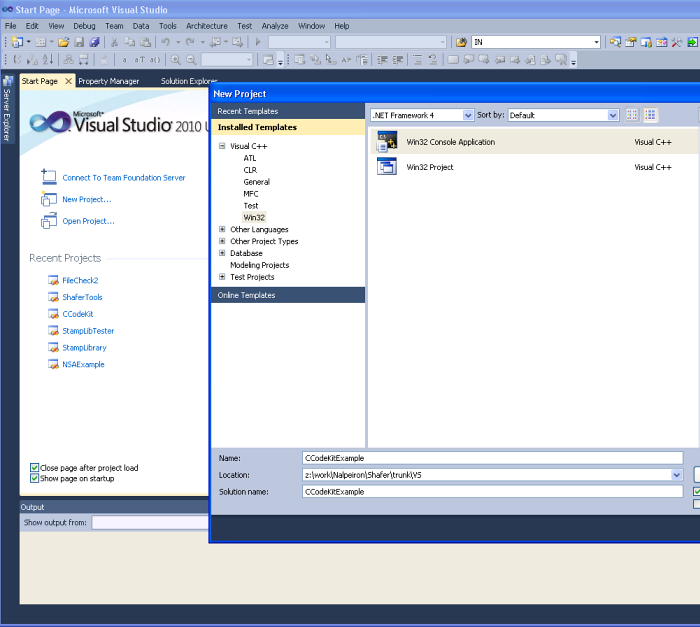
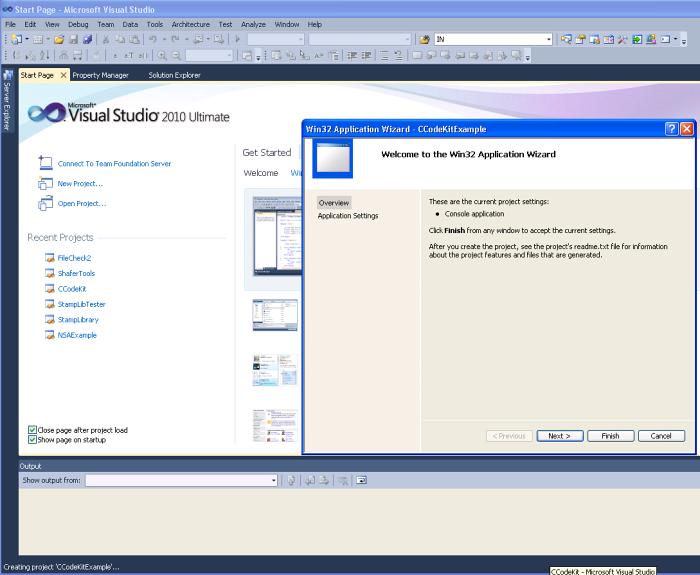
- Click OK and from the next screen select “next”
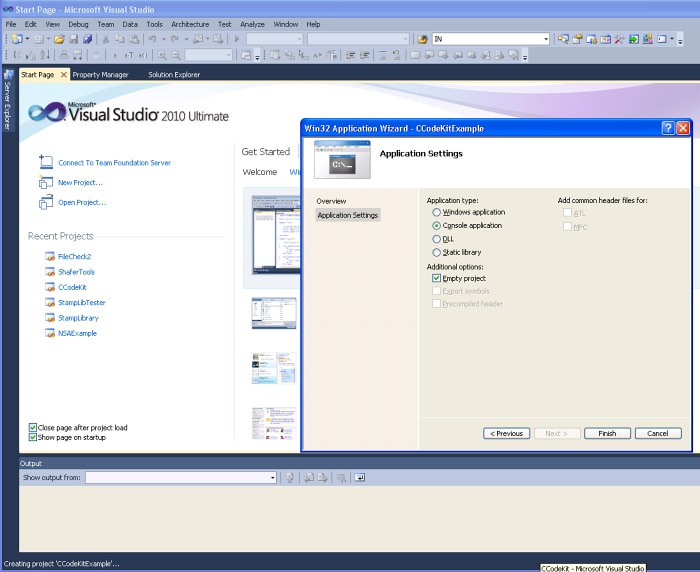
- From the “Application Settings” page select “Console Application” and “Empty Project” then “Finish
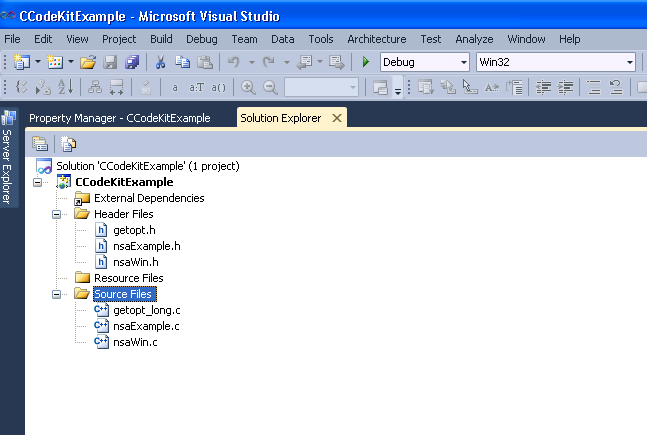
2Now add the files from the code kit to your newly created project.
- In the Solution Explorer right click on “Header Files” select “Add” and then “Existing Item”.
- Browse to the location where you unpacked the code kit and select the getopt.h, nsaExample.h, NSACalls.h and nsaWin.h header files.
- Repeat this process to add getopt_long.c, nsaExample.c, NSACalls.c and nsaWin.c to the “Source Files”.
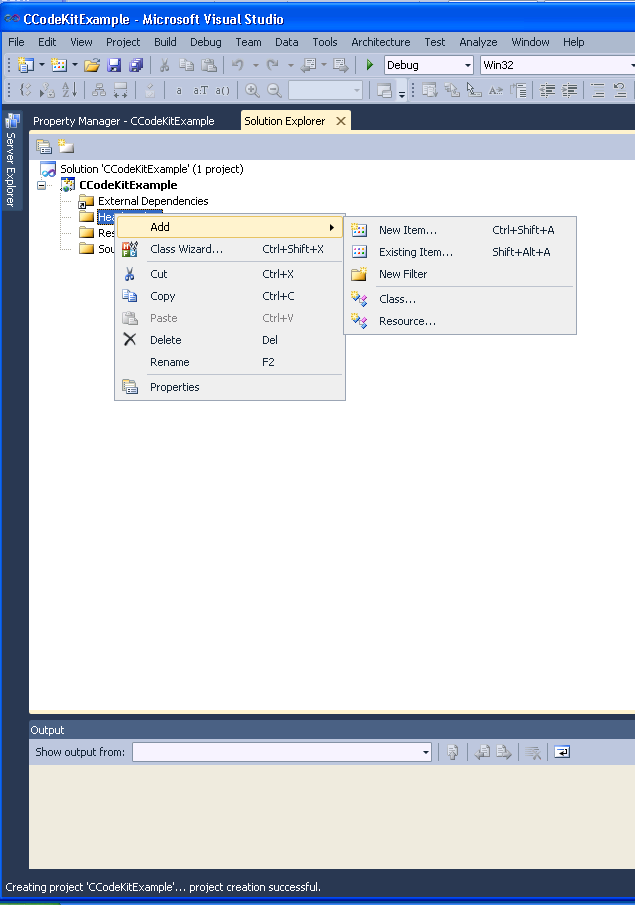
- Your project should now appear as below.
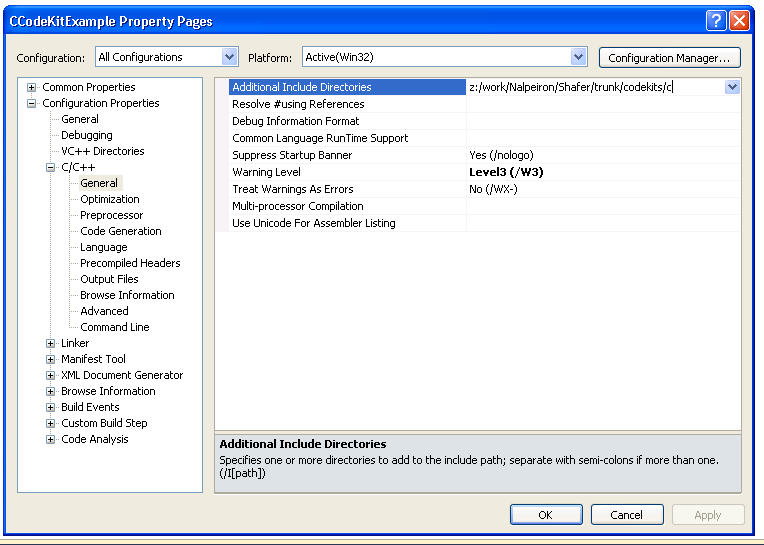
3Now add the directory containing your code kit files to the include path of your project.
- Right click on the project (CcodeKitExample here) to bring up the Properties window.
- Select “All Configurations” from the pull down menu at the top of the screen the “C/C++”, “general” and add the path to your files at the top of the window.
- Then select “OK” at the bottom of the window.
4Finally, select your project configuration and architecture (Debug and Win32 in the figure) and build the project.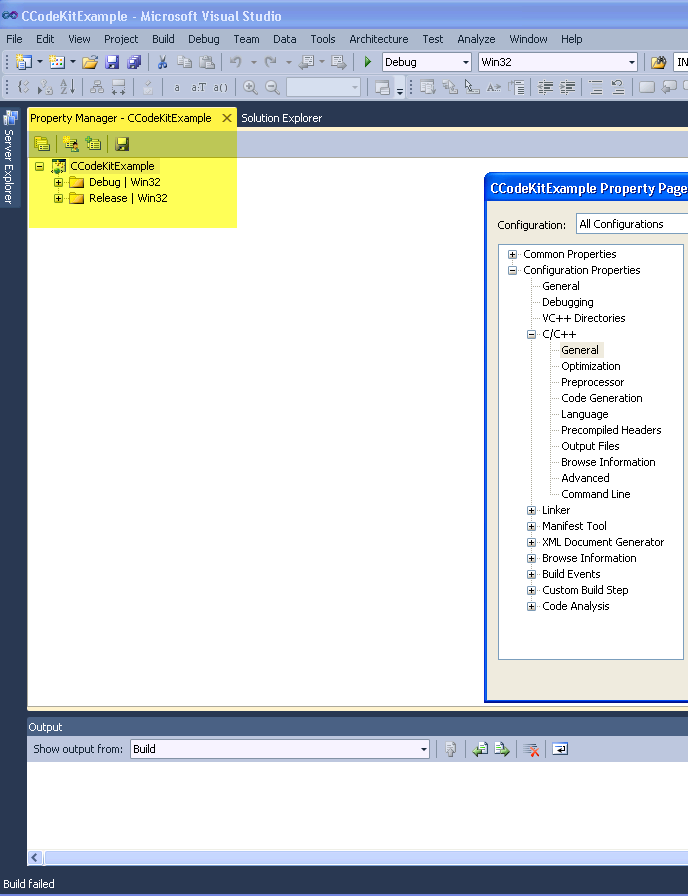
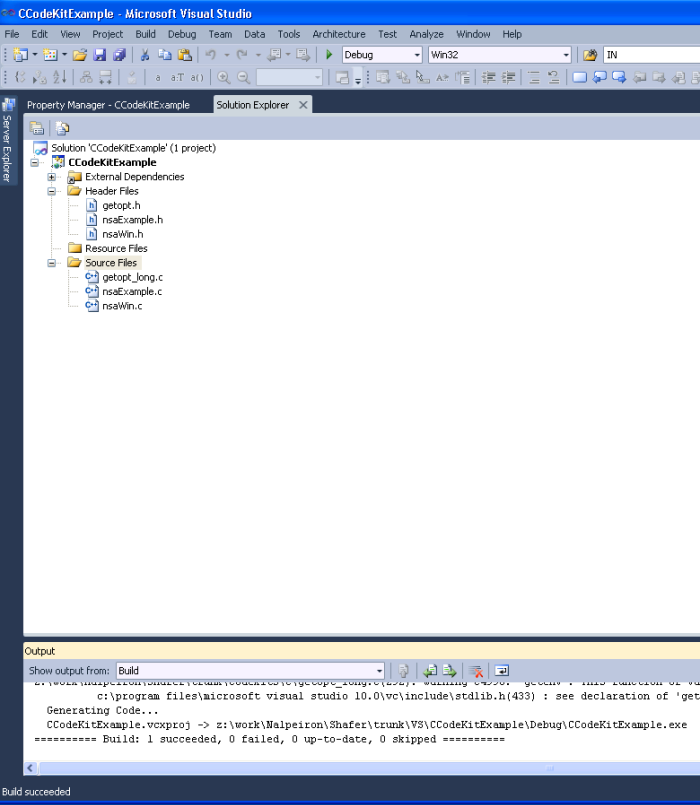
- In the end, you should see in your output window:
“========== Build: 1 succeeded, 0 failed, 0 up-to-date, 0 skipped ==========”
5Your NSA example is complete and ready to test.
- Open up a PowerShell or cmd window and run the newly compiled executable.
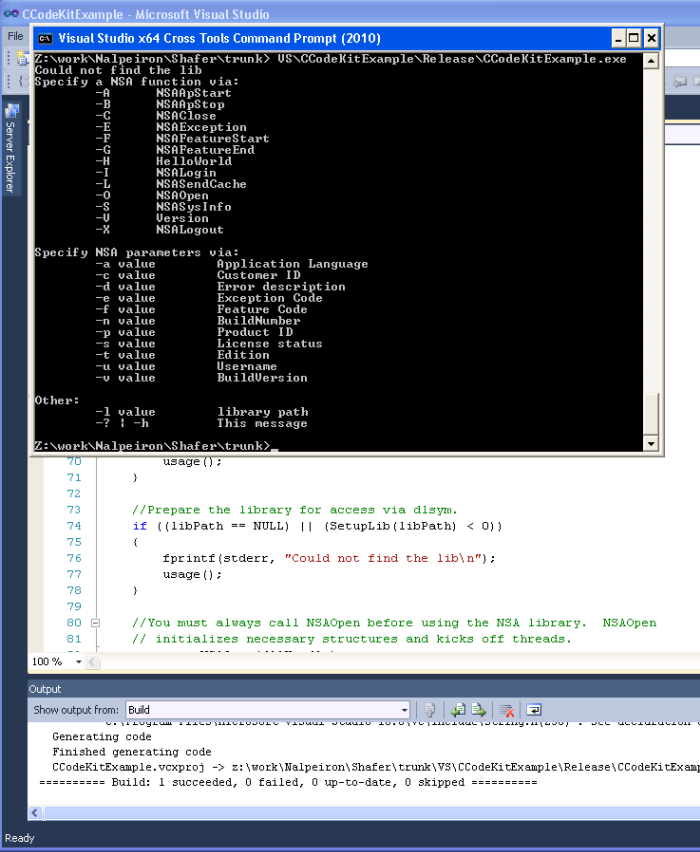
- Without specifying any options, the example program will display possible parameters.
NSA functions:
NSA functions are called using a capital letter.
The C code kit contains an example usage of the NSALibrary. The example can be built from the command line with the included Makefile. The result is a command line program that accesses each of the NSA functions. It can be incorporated into your project (especially the header files) or used to test/debug. Usage information may be obtained with the -? parameter:
| Letter | Function |
|---|---|
| A | NSAApStart |
| B | NSAApStop |
| C | NSAClose |
| D number_of_loops | Test run |
| E | NSAException |
| F |
NSAFeatureStart |
| G | NSAFeatureEnd |
| H | TestConnection |
| I | NSASysInfo |
| L | NSALogin |
| O | NSAOpen |
| P | NSASetPrivacy |
| T | NSASendCache |
| Q | NSAGetPrivacy |
| S | NSAGetStats |
| V | Version |
| X | NSALogout |
| Parameter | Description |
|---|---|
| -a value | Application Language |
| -b value | Log File directory path |
| -c value | Customer ID |
| -d value |
log level [0 - 5] |
| -e value | Exception Code |
| -f value | Feature Code |
| -g value | Error description |
| -h value | Max Log Queue Length |
| -i value | Max Cache Queue Length |
| -j value | Min number of network threads |
| -k value | Max number of network threads |
| -n value | BuildNumber |
| -p value | Product ID |
| -s value | License status |
| -t value | Edition |
| -u value | Username |
| -v value | BuildVersion |
| -w value | Proxy IP |
| -x value | Proxy Port Number |
| -y value | Proxy Username |
| -z value | Proxy Password |
| -l path_to_library | Path to the NSAfilechck.dll |
| -o | Enable Offline Mode |
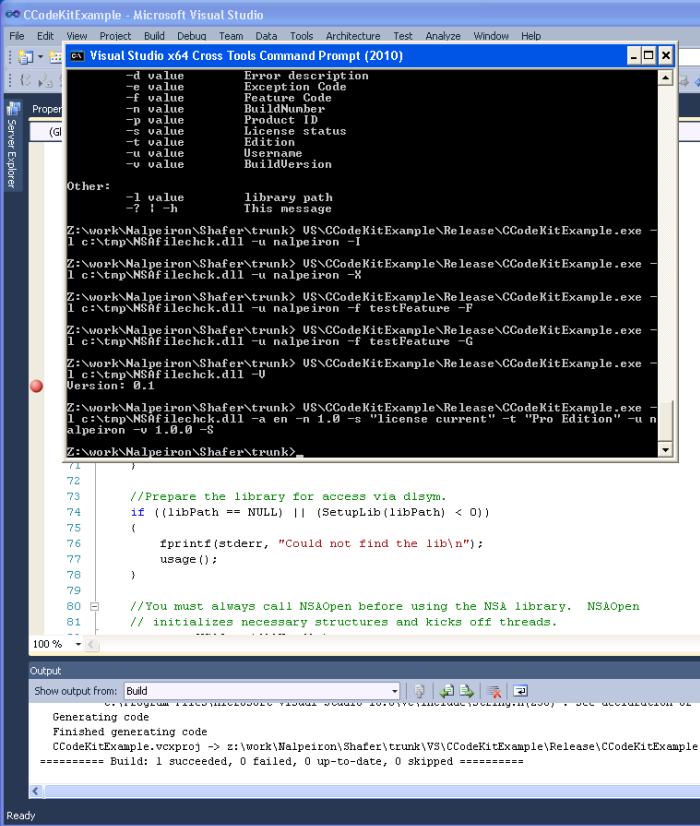
Examples:
NSALogin:
CodeKitExample -l c:\tmp\NSAfilechck.dll -u nalpeiron -L
NSALogout:
CodeKitExample -l c:\tmp\NSAfilechck.dll -u nalpeiron -X
NSAFeatureStart:
CodeKitExample -l c:\tmp\NSAfilechck.dll -u nalpeiron -f featureCode -F
NSAFeatureEnd:
CodeKitExample -l c:\tmp\NSAfilechck.dll -u nalpeiron -f featureCode -G
Library Version:
CodeKitExample -l c:\tmp\NSAfilechck.dll -V
NSASysInfo:
CodeKitExample -l c:\tmp\NSAfilechck.dll -a en -n 1.0 -s "license current" -t "Pro Edition" -u nalpeiron -v 1.0.0 -I
Obvious mistakes to avoid
If call NSAOpen (In example the encapsulating function is the init function, which contains the call) isn't called, the required threads won't be created. At best, the library will not function if a call to call NSAOpen is not made. Most likely, it will seg fault. If call NSAClose (In example the encapsulating function is the ApplicationEnd Function, which contains the call) isn't called when you're finished, the main program won't wait for the thread to finish before shutting down. This will result in a loss of any information still being processed by the threads. It may also cause memory corruption.
Firewall and Proxy issues
NSA/NSL sends data to Nalpeiron via a network connection to either port 80 or port 443. If you have a firewall blocking these outgoing ports your data will not reach Nalpeiron. The NSA/NSL library will recognize this fact and cache the data to disk. However, as no data has reached Nalpeiron your reports will be empty. Likewise, the same issue can be caused by a proxy server in place between your client location and Nalpeiron. NSA/NSL will utilize a proxy server but call NSAOpen (In example the encapsulating function is the init function, which contains the call) must be supplied with the proxy information (see the call NSAOpen function parameters in the Function Reference Guide).
The easiest way to make sure you have connectivity to Nalpeiron is with the call NSLTestConnection (in the example the encapsulating function is TestInternetConnection, which contains this call) function. That function will attempt to contact the Nalpeiron server. If this function fails, you have connectivity issue and, most likely, the other NSA/NSL functions will fail as well. If this is the case, you will need to Manually activate your client and your NSA data will be sent to the cache file rather than to the Nalpeiron.
NOTE : For Permanently Offline NSA/NSL applications the NSA data will never get to the server for reporting, only online NSA/NSL applications can send analytics information to the activation server for reporting. For temporarily offline NSA/NSL Application, when the application can see the activation server the cached NSA data will be sent to the activation server for reporting
End User System Info
It is important that you make a call to call NSASysInfo (in the example the encapsulating function is ApplicationStart, which contains this call) at least once per application run. NSASysInfo collects various system information that is necessary for generating reports on the Nalpeiron Analytics website. Repeated calls into call NSASysInfo will not initiate repeated connections to Nalpeiron. NSASysInfo caches the system information and sends it to Nalpeiron only when something has changed.
Usage options
You are free to use the files from the code kit in your own projects. The typical method of doing this would be to include nsaFunctions.h, nsaWin.h and nsaWin.c in your project. Modify the setLib function in nsaWin.c to point to the location of nsaFilechck.dll on your end user's system. Once these files are included in your project, you'll be able to call into the NSA library in exactly the same method demonstrated in CCodeKit Example.Download the Example Applications attached
Release Notes (Please always check the release notes for the latest updates)