
SDKs for Zentitle V10 can no longer be downloaded from links in the documentation. If you require the current SDK in your chosen programming language, please log a support ticket and our support staff will be happy to provide one.
The code examples demonstrate the use of the API calls involved in license management using NSL V10.
You are also advised to consult the following documents that explain the logical flow using .NET as an example:
Licensing Logic of Your Application
Retrieving a License From the Activation Server
These provide in-depth descriptions of the license life-cycle and how this should be implemented in a commercial application.
Introduction
In this article, we are going to show you an example Android app. using Android Studio as the IDE. NSL and NSA can easily be added to new or existing software as it is a shared library and can be accessed as such.
The Nalpeiron Android libraries consist of the standard Nalpeiron C library with a JNI wrapper.
Before you start, ensure you have at least Android Studio v2.2 installed on your system. Earlier versions of Android Studio can be made to work with this project but aren't supported. The Android Native Development Kit (NDK) is also required and may be downloaded through Android Studio (see below for details). The NDK is used in this project as a convenient means of ensuring the Nalpeiron Android library is copied into place in the apk.
https://developer.android.com/studio/
The Android Code example currently supports Android ARMv5t, ARMv7a, ARMv8a, x86 and x86_64.
Having downloaded your Custom Licensing/Analytics library you will now need to code your project with the quick changes listed below.
Please note that this is simply a code example and it is not a complete application, please use this to understand the basics of how you might implement licensing and then create your own code. It is not a finished work and will need modifying in a number of ways depending on your use case.
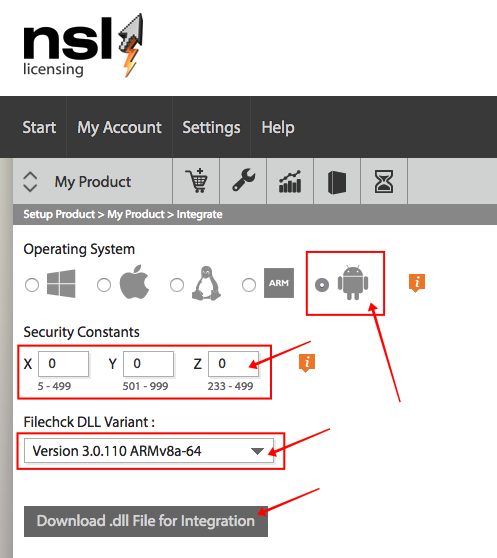
Download your custom Nalpeiron Libraries and place in your Project
Please see the article about how to generate your custom libraries.
Please ensure you download each architecture (variant) and place the .so files into each folder as below.
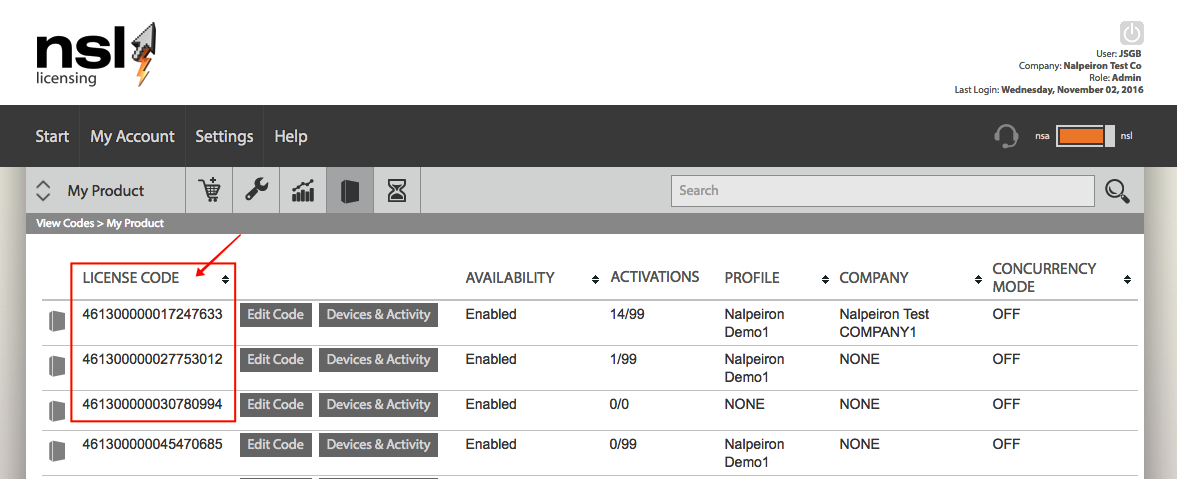
Collect some test Zentitle License Codes
In order to try out various functions and features of the Zentitle Service you will need to make sure you have a "Product" setup in the Zentitle UI and to have a number of license code numbers ready to input into the UI (or if you are using ADB) generated by the sample code.
Getting Started using Android
The APIs for the Android library are a bit different from those in C, C#, VS, etc. but are the same as those in Java.
So in addition to this article, we encourage you to review the existing JAVA docs and JAVA code example for the APIs.
1. Download and install Android Studio on your system.
https://developer.android.com/studio/
2. Download and unpack the Nalpeiron Android SDK (bottom of page).
NSATest, NSLTest and PSLTest are Android Studio projects that allow you to create test programs for licensing (NSLTest) or for analytics collection (NSATest) or for the passive licensing system (PSLTest).
A few changes need to be made in the code example to reflect the Android Studio setup on your system.
After unpacking the example, you will have an AndroidCodekit directory with subdirectories called NSATest, NSLTest, and PSLTest.
Your custom Nalpeiron libraries must be copied into place for the build to work correctly.
The location of the libraries is:
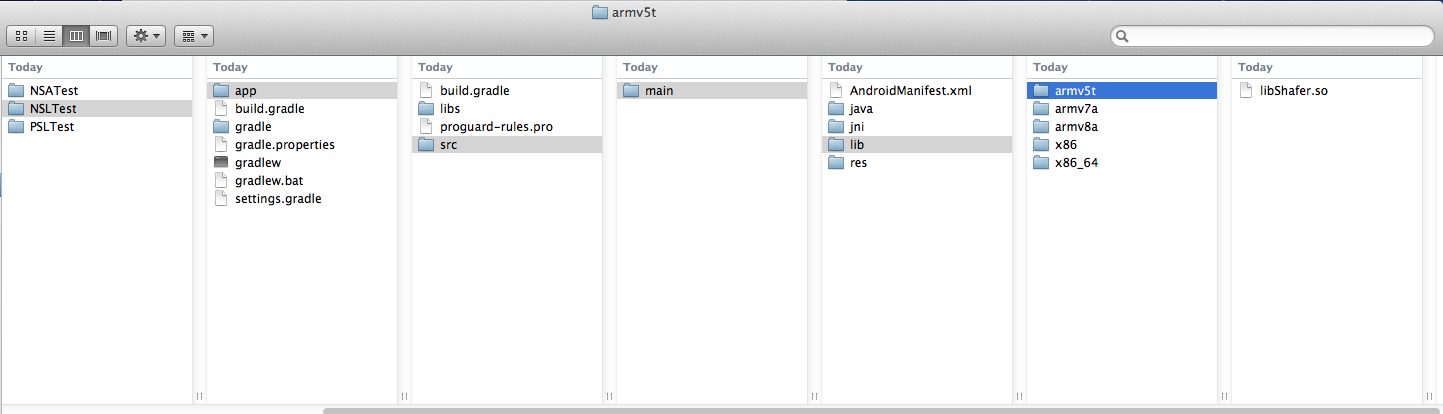
- NSLTest/app/src/main/lib/ARCHDIR (licensing)
or
- NSATest/app/src/main/lib/ARCHDIR (analytics)
or
- PSLTest/app/src/main/lib/ARCHDIR (passive licensing)
In the /lib/ folder there are sub-folders for each of the architectures: armv5t, armv7a, armv8a, x86 or x86_64.
- A downloaded library of the appropriate architecture should be copied into each directory.
The NSA/NSL build expects the library to be named "libShafer.so". So, for instance, the armv7a library should look like: NSLTest/app/src/main/lib/armv7a/libShafer.so.
The PSL build expects the library to be named "libSimon.so". So, for instance, the armv7a library should look like: PSLTest/app/src/main/lib/armv7a/libSimon.so.
All of the folders must have their new library file you have downloaded, not just one or the other.
- Ensure you place each file in the correct corresponding folders for their architecture armv5t, armv7a, armv8a, x86 or x86_64 (The files are not all called libShafer.so or libSimon.so but given representative names on download so that you are clear which is which afterward).
- At this point, the project is ready to build.
Installing Android Studio
Android Studio provides everything you need to start developing apps for Android, including the Android Studio IDE and the Android SDK tools.
If you didn't download Android Studio, go download Android Studio now, or switch to the stand-alone SDK Tools install instructions.
[ Show instructions for all platforms ]
You don't need the full-blown SDK if you prefer you can use adb.exe and you will also need JAVA installed to test the Zentitle Android SDK.
Working with Android Studio
The following details how to build these examples in Android Studio.
Setting up the Android Studio project
- Open Android Studio and select “Open an Existing Android Studio Project.”
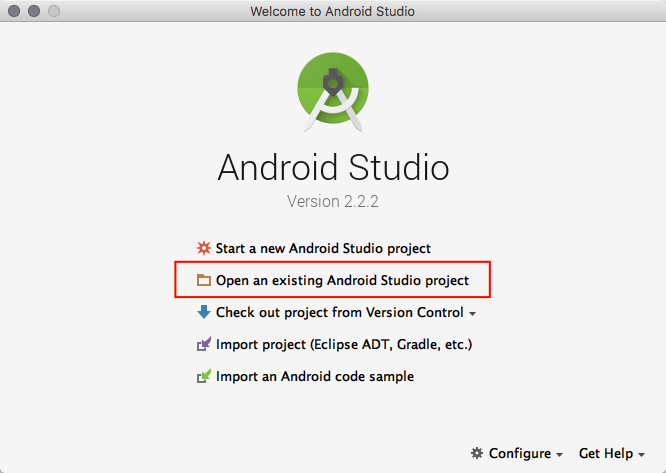
- Then select either nslTest or nsaTest. (NSL = Licensing; NSA = Analytics; most clients combine these to get a great combination of data and entitlement controls)
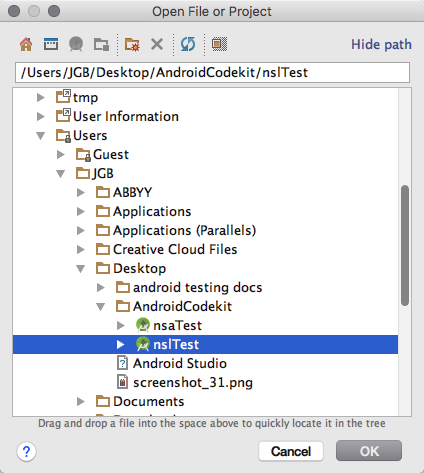
- Open NSLTest.java (or NSATestActivity.java)
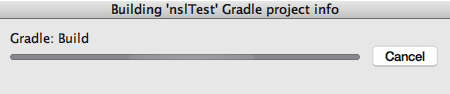
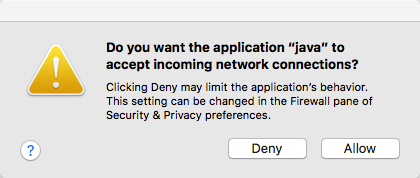
The project will start to build, and you may need to allow "network" access in order to get the project open.
Potential Build Issues
If you run into build issues see the section below that explains how to install other components etc
If you have any issues read below, otherwise skip this section.
If any errors occur during the build, you will be presented with an error message in the “Messages Gradle Build” window.
You can find more information about the error by selecting the “Gradle Console” at the lower right of Android Studio. This will open an additional window with more error details.
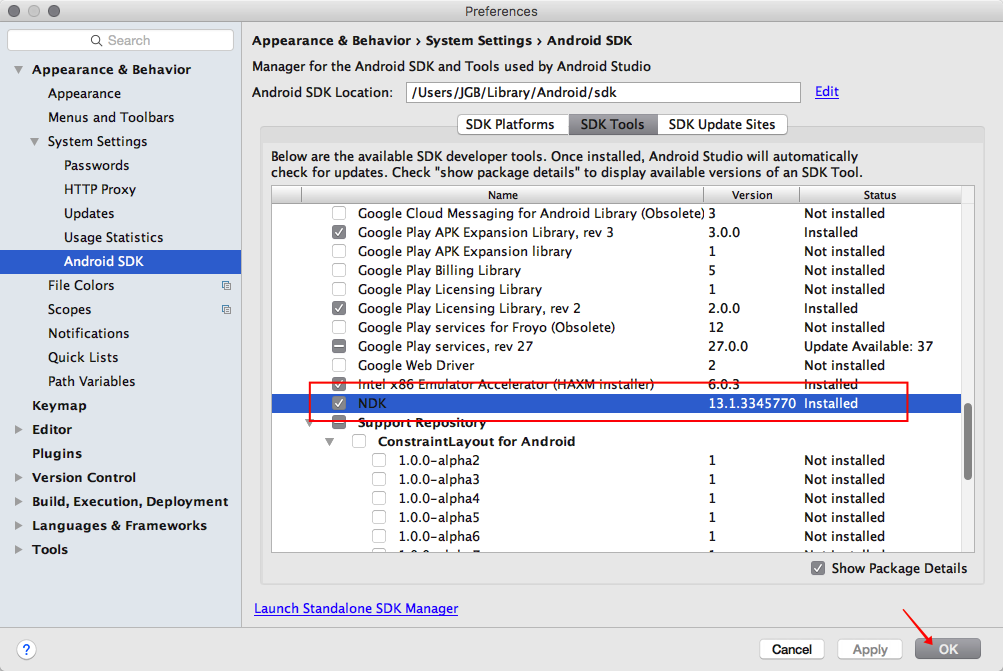
Missing NDK
- If you have not already installed the Native Development Kit (NDK), you may get an error similar to the one below.
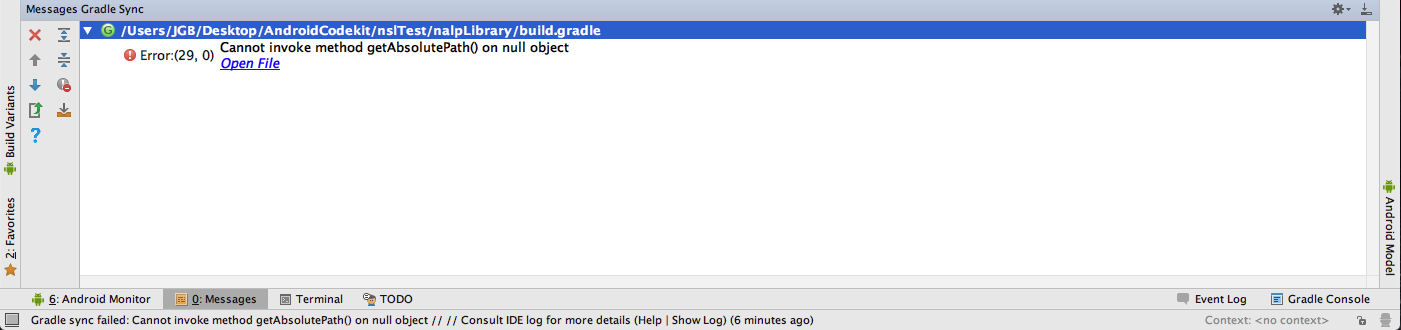
- In this case, you may download the NDK via the Android Studio interface.
- Select File -> Settings (Preferences in OSX) -> Appearance & Behavior -> System Settings -> Android SDK.
- On that screen select the middle "SDK Tools" tab,
- Then check the NDK check box.
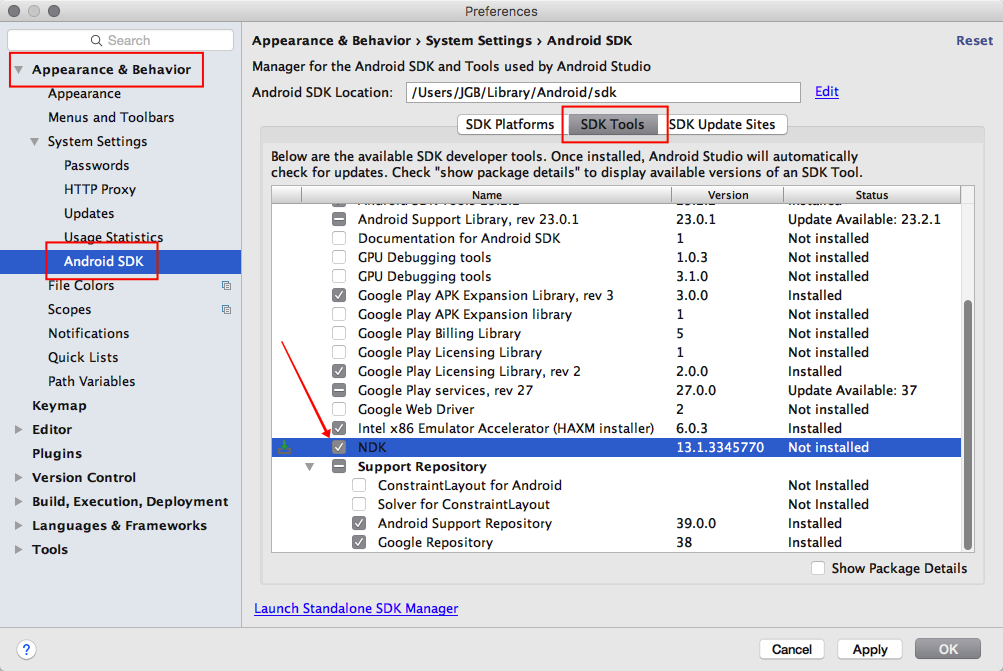
- Click "Apply" to make the change

- Confirm the download
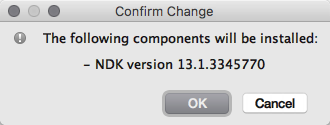
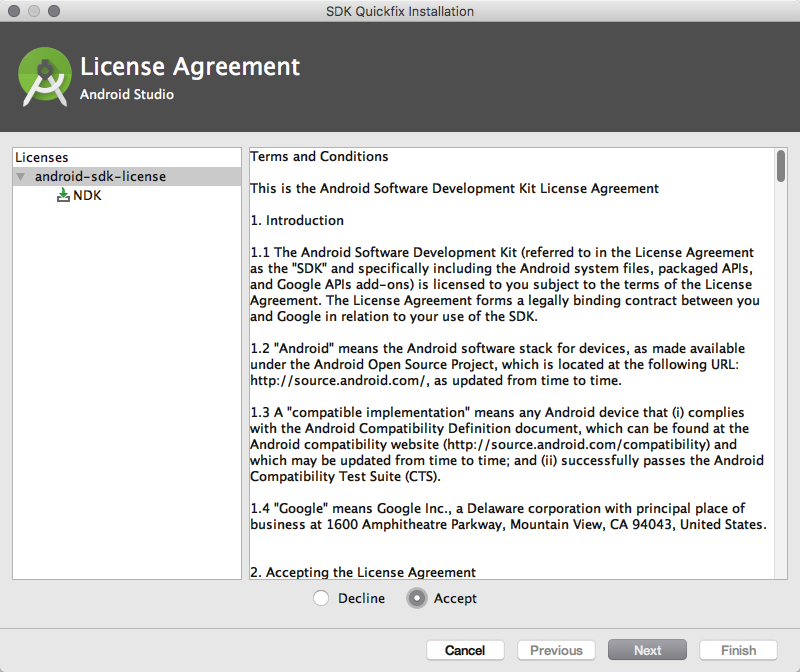
- Accept the Google licensing conditions and the NDK will download and be installed in Android Studio
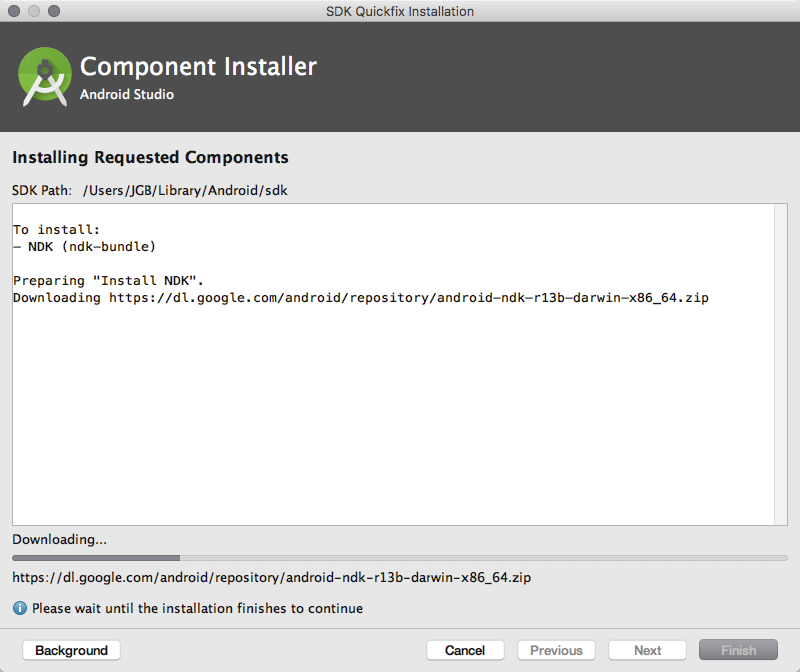
- Once installed click "OK."
- After installing the NDK exit Android Studio and restart.
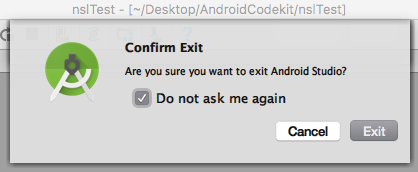
- The project should load automatically and build.
Missing Components
- Depending on your Android Studio installation you may get an error message at this point indicating that you are missing one or more component needed to build the project. If so, you will be presented with a message similar to the one below:
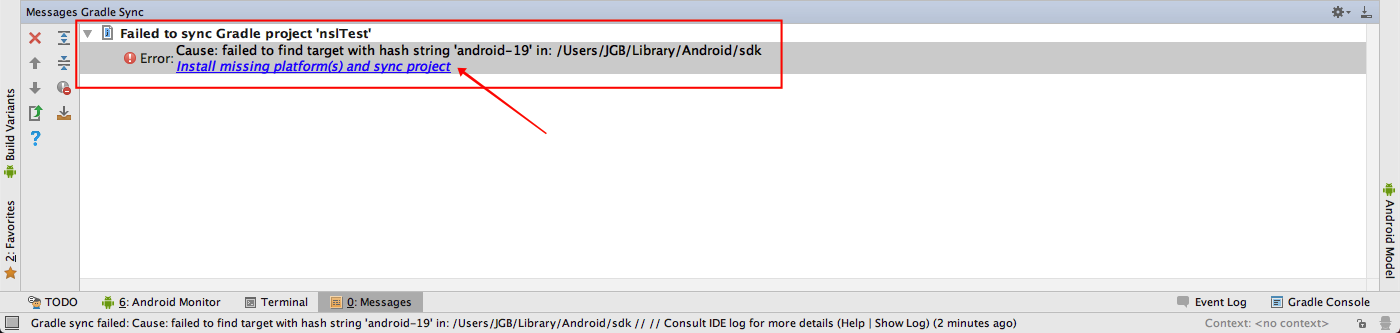
- If this is the case, click on the provided link, “Install missing platform(s) and sync project” to install the missing components.
- You may be presented with a license agreement, installation screen, and a success screen.
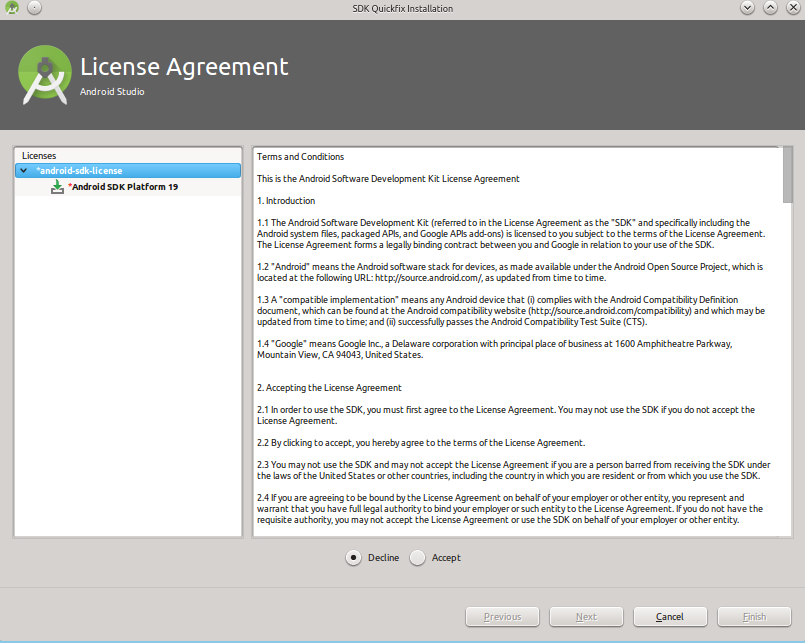

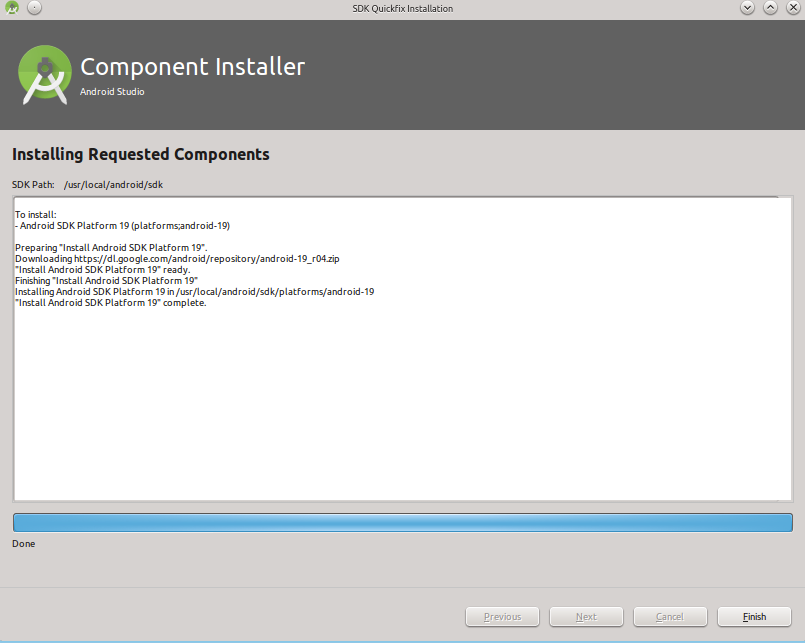
- Click "finish" at the end of that process
- After this is complete, you may be prompted to download other missing components.
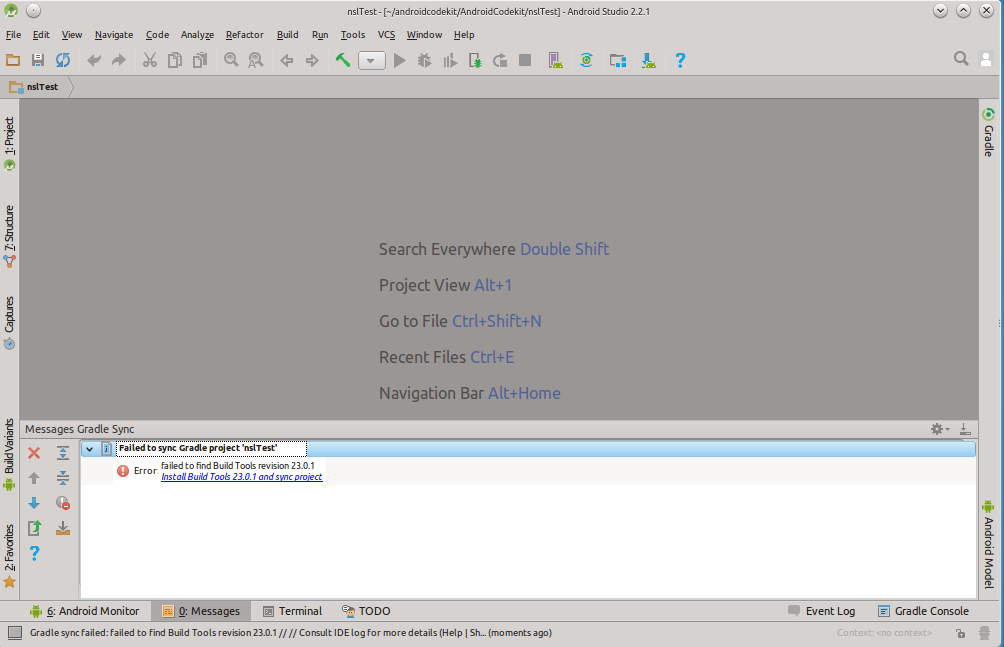
-
If so, the process will be the same. Repeat until no missing components are found.
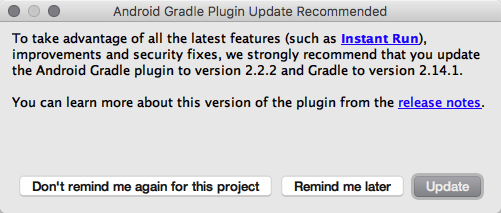
- Do the same for "updates."
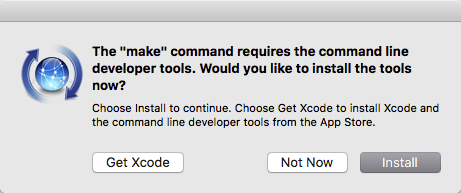
Command line tools
-
You may be prompted to install the command line tools to proceed. If so agree to the install and terms.
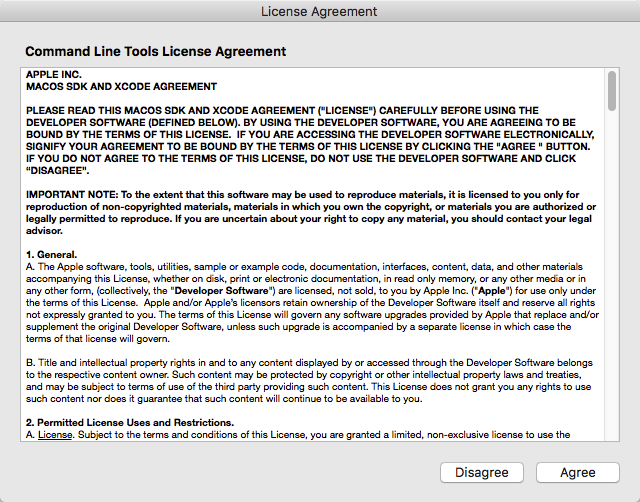
Now you are ready to edit the Example Project
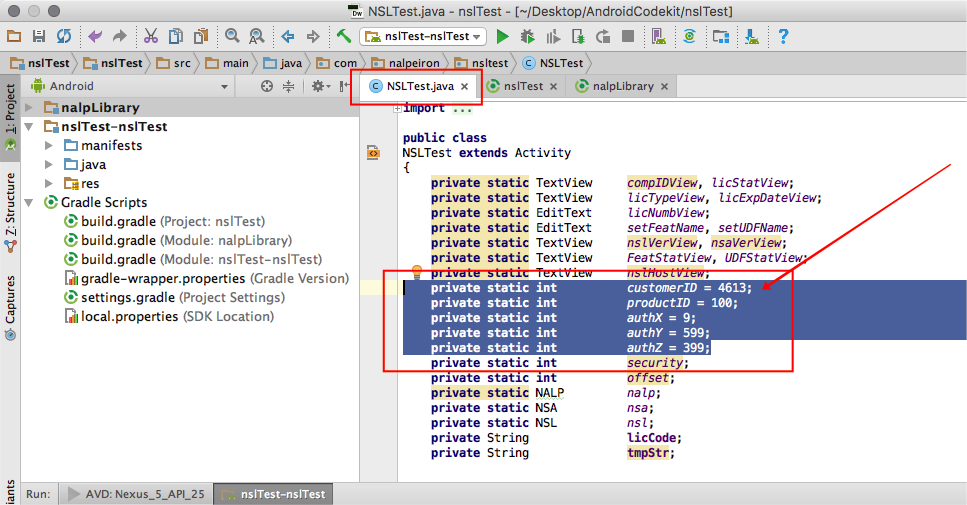
You should now have the project example open and in the editor window.
public class
NSLTest extends Activity
{
   private static TextView       compIDView, licStatView;
    private static TextView       licTypeView, licExpDateView;
   private static EditText       licNumbView;
   private static EditText       setFeatName, setUDFName;
   private static TextView       nslVerView, nsaVerView;
   private static TextView       FeatStatView, UDFStatView;
   private static TextView       nslHostView;

//Edit variables below//
   private static int customerID = 1234;
   private static int productID = 123;
   private static int authX = xxx;
   private static int authY = yyy;
   private static int authZ = zzz;
//Edit variables//
   private static int security;
   private static int offset;
   private static NALP           nalp;
   private static NSA       nsa;
   private static NSL       nsl;
   private String          licCode;
   private String          tmpStr;
- You will now edit the sample code block that contains some variables that relate to your specific Zentitle account.
- Input your 2 variables (CustomerID and ProductID) which will be available to your Application Load event and set them to the values for your NSA/NSL product in your code.
Remember you are replacing the test parameters in the code with your own specific Customer and ProductIDs and with your own specific library, all downloaded from the Zentitle UI.
The CustomerID and ProductID are internal Zentitle numbers issued to you, they are unique to you and should be kept secret. They were sent with your trial setup email and can also be accessed again anytime from your Product details within the Publisher Center.
- Now change the Security Constants (X, Y and Z values) to match those stamped into your library. Do not copy this example as many others may read this document and your values should be unique and secret!
Remember the Security Constants are set to "0" (or off) by default and you need to change them when generating your DLL. We highly recommend adding these constants to help improve security.
Once you have changed these and double-checked them against your Zentitle product and downloaded library values you can save and test build the project.
- Select Build->Rebuild Project.
If everything goes well, you will see a Build Successful message appear.
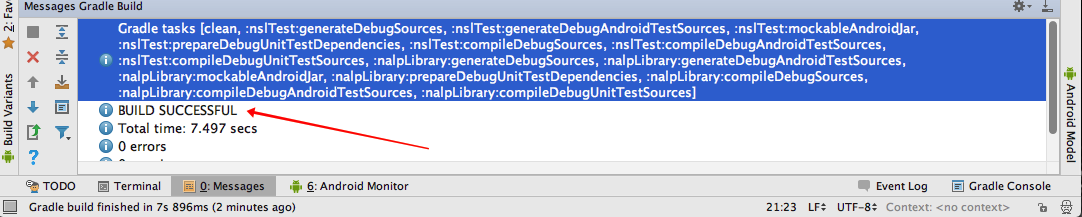
- Now you have everything successfully building you can start to use the example code and start any testing.
Start Testing
Now you may run the example code in a virtual machine or an Android device.
- From the Android Studio menu select run→’run nslTest-nslTest’.
A new window will open allowing you to choose which device you wish to use to run the application.
If you don't have devices set up to test you can follow the simple processes to add various device OS versions and sizes.
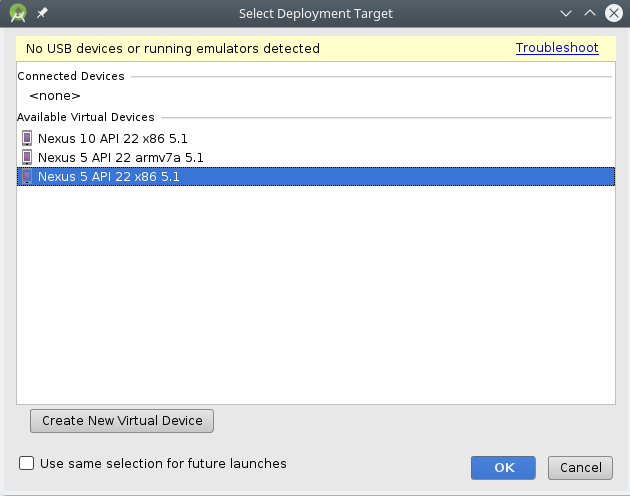
- Select the desired virtual test device and after a moment or two your should see the application open.
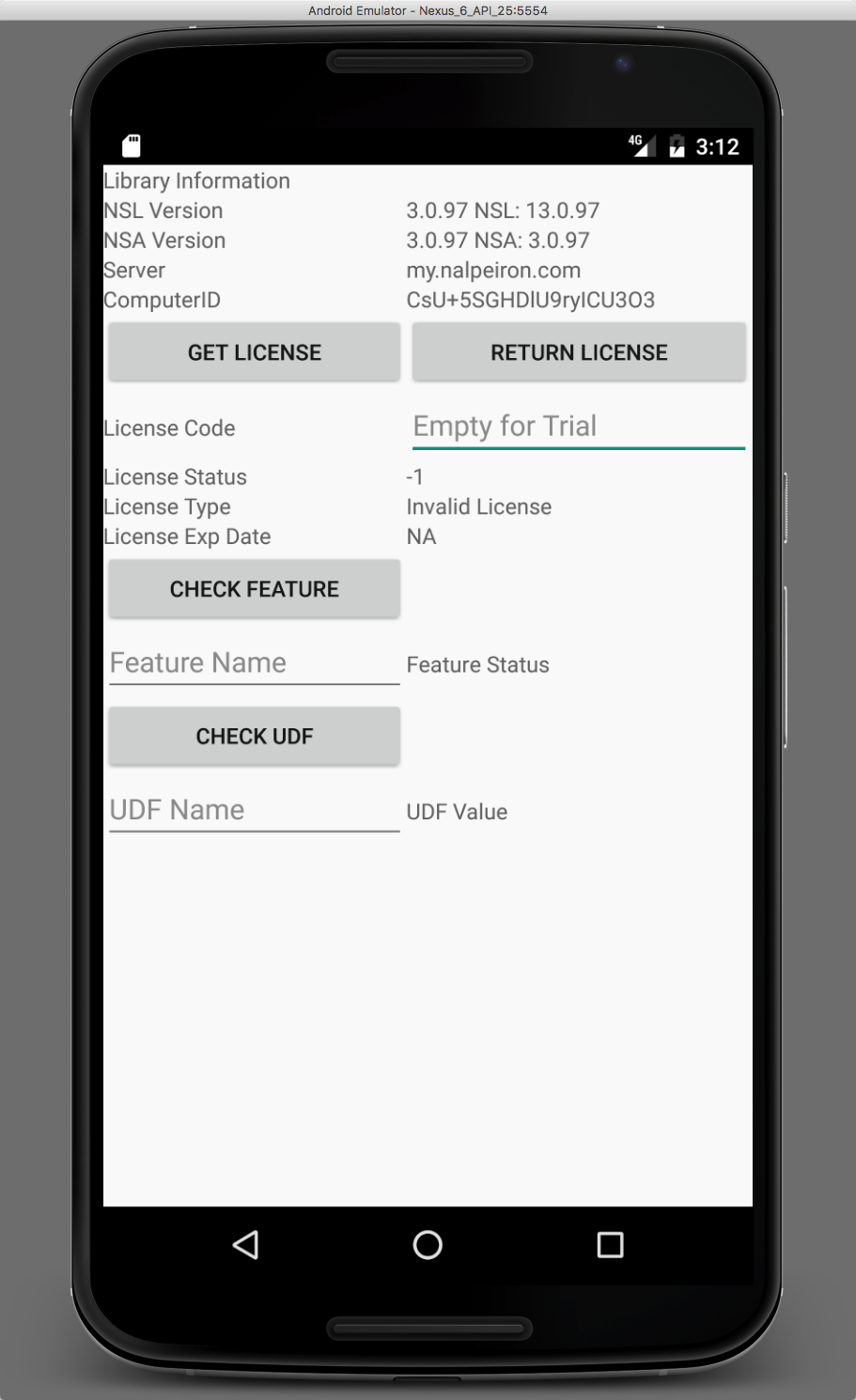
- So you are now all set and can use the virtual emulator to continue or you can side-load the Android project to a real device and test that way.
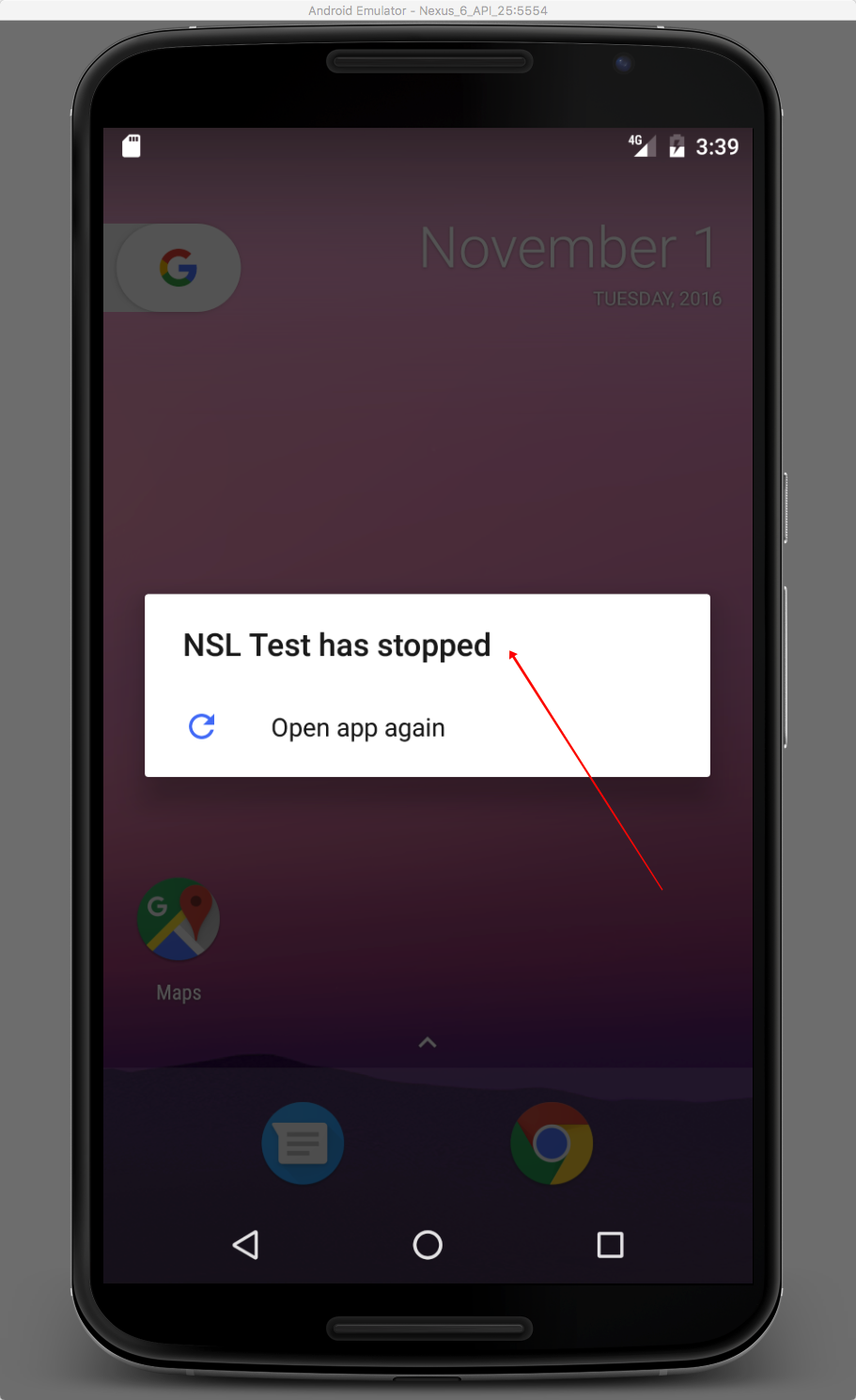
- If you see a screen where the Test App has stopped it is likely you didn't put the correct library files in the right folder per the instructions above.
Note: Full documentation of error returns, APIs, status values, etc. may be found in the SDK at html/index.html in the Java section.
Common Errors
| #define NALPJAVA_LIBLOAD_ERROR -9001 | Most likely called by a missing or corrupt library. Can also be caused by improperly set system or Java paths. Or, by the native libraries not matching the architecture of the Java runtime. See note above about nalp.callNalpLibOpen("./yourlibfile.so", 4, ...) |
|---|---|
| #define NALPJAVA_SYMLOAD_ERROR -9002 | Most likely a corrupt NSA/NSL library. |
callNalpLibOpen Parameters
The prototype of NSA.callNalpLibOpen is:
int callNalpLibOpen(String Filename, boolean NSAEnable, boolean NSLEnable, int LogLevel, String WorkDir, int LogQLen, int CacheQLen, int NetThMin, int NetThMax, int OfflineMode, String ProxyIP, String ProxyPort, String ProxyUsername, String ProxyPass, int security)
where: Filename use this parameter to change the location and/or name of the libNSA libraries.
NSAEnable - If true the NSA portion of the library is enabled. NSLEnable - If true the NSL portion of the library is enabled. WorkDir is the location where NSA/NSL will store its log file, licensing files, cache file, etc. If this value is not specified the files will be stored in the current working directory as defined by your running software on Linux and Mac. On Windows, the library will use a publically accessible directory (selected by the OS). loglevel is an integer 0 to 6. If loglevel is not specified it will default to level 0 (off). You should not use log level higher than 4.
The higher levels do not provide any useful end-user debugging.
| 0 | logging off |
| 1 | errors only |
| 2 | errors and warnings |
| 3 | errors, warnings, and informational messages |
| 4 | errors, warnings, info and debug |
| 5/6 | Nalpeiron internal use |
LogQLen is the maximum length of the log queue. Once the log queue reaches this length, additional log entries will be discarded. As messages in the queue are written to the log file, the queue will shrink and logging will automatically resume. The default is 300.
CacheQLen is the maximum length of the cache queue. Once the cache queue reaches this length, additional cache entries will be discarded. As messages in the queue are written to the cache file, the queue will shrink and caching will automatically begin again. The default is 25.
SoapThreadsMin/SoapThreadsMax - Network connections between the NSA library and the Zentitle server are handled by a lthread pool. The values specify the minimum number of threads available to the pool and the maximum number of threads available to the pool. The number of threads in the pool will grow and shrink between these two extremes as needed. The default for each is 10.
ProxyIP/ProxyPort - If the NSA library is connecting to the internet via a proxy use these values to specify the IP address and port number of the proxy server. If no proxy is used, they can be left empty or completely unspecified. The default is no proxy. ProxyUsername/ProxyPassword - If you are using a network proxy to which requires a username and password, specify them here.
OfflineMode - If OfflineMode is on (1), the no data is sent to the Zentitle server. All transactions are written immediately to cache. The library makes no attempts to collection location information or sends the cache to Zentitle. The default is 0 (ie on-line).
Security - Security is a random value created by you at the start of your program (see NalpExample.java for an example of this process). This value in combination with the x, y and z authentication values you stamped into your library when you created it are used for security in the NSL licensing functions. If the security value is specified, all returns from the NSL library will include an offset. Your calling program will need to calculate this offset and subtract it from the return values. In this example, the offset is calculated in NalpExample.java.
The return values are adjusted inside the C wrapper library (nsljava.c).
Library Prototypes
All functions return positive numbers (or 0) on success and a negative number on error. Strings passed into NSA are expected to be either ANSI C strings or UTF8 encoded Unicode. The following functions are provided by the NSA library.
Of course, as you will be accessing them from the shared libraries rather than directly you need to use the typedeffed functions pointers (see NSAFunctions.h in the c/c++ SDK) rather than these prototypes.
For example usage see: nsaExample.c in the SDK.
| Function Call | Description | ||||||||||||||||||||||||||||||||||||||
|---|---|---|---|---|---|---|---|---|---|---|---|---|---|---|---|---|---|---|---|---|---|---|---|---|---|---|---|---|---|---|---|---|---|---|---|---|---|---|---|
| int callNalpLibOpen(String Filename, boolean NSAEnable, boolean NSLEnable, int LogLevel, String WorkDir, int LogQLen, int CacheQLen, int NetThMin, int NetThMax, int OfflineMode, String ProxyIP, String ProxyPort, String ProxyUsername, String ProxyPass, int security) | Initializes the library. THIS FUNCTION MUST BE CALLED AFTER THE LIBRARY IS OPENED (withdlopen, for instance) BUT BEFORE THE LIBRARY IS ACCESSED. For parameter information see callNalpLibOpen section above. | ||||||||||||||||||||||||||||||||||||||
| int callNalpLibClose() | Shuts down the library. THIS FUNCTION MUST BE CALLED IMMEDIATELY BEFORE CLOSING THE LIBRARY (ie withdlclose). If this function is not called before the library is closed, information may be lost and memory corruption could occur. Returns 0 for success and a negative number for an error. | ||||||||||||||||||||||||||||||||||||||
| callNalpGetErrorMsg(int NalpErrno) | Returns a descriptive error message associated with NalpErrno. All NSA/NSL C functions return 0 on success and a negative error number on failure. It is this negative error return that may be passed into callNalpGetErrorMsg. | ||||||||||||||||||||||||||||||||||||||
| int callNSAGetPrivacy() | Checks current privacy settings. Returns 0 for "no privacy", 1 for "privacy enabled", 2 for "unset" and a negative number for an error. If privacy is unset, the privacy setting used will be the one stamped into the library. | ||||||||||||||||||||||||||||||||||||||
| int callNSASetPrivacy(int setting) | Sets a privacy value for the library. Possible values for setting are 0 "no privacy", 1 "privacy enabled" or a negative number for an error. | ||||||||||||||||||||||||||||||||||||||
| String callNSAGetVersion() | Returns a string containing the library version and the NSA version | ||||||||||||||||||||||||||||||||||||||
| String callNSAGetHostName() | Returns a string containing the hostname of the SOAP server NSA contacts with analytics information. | ||||||||||||||||||||||||||||||||||||||
| int callNSAApStart(int transID) | Records startup of your application. Returns 0 on success and a negative number for an error. | ||||||||||||||||||||||||||||||||||||||
| int callNSAApStop(int transID) | Records shutdown of your application. Returns 0 on success and a negative number for an error. | ||||||||||||||||||||||||||||||||||||||
| int callNSALogin(String username, int transID) | Records login of username. Returns 0 on success and a negative number for an error. Username should be an ANSI C string or a utf8 encoded Unicode string. | ||||||||||||||||||||||||||||||||||||||
| int callNSALogout(String username, int transID) | Recordslogoutof username. Returns 0 on success and a negative number for an error. Username should be an ANSI C string or a utf8 encoded Unicode string. | ||||||||||||||||||||||||||||||||||||||
| int callNSAFeatureStart( String username, String featureCode, int transID) | Records start of use of featureCode by username. Returns 0 on success and a negative number for an error. Username and featureCode should be an ANSI C strings ora utf8 encoded Unicode strings. | ||||||||||||||||||||||||||||||||||||||
| int callNSAFeatureStop(String username, String featureCode, int transID) | Records end of use of featureCode by username. Returns 0 on success and a negative number for an error. Username and featureCode should be an ANSI C strings ora utf8 encoded Unicode strings. | ||||||||||||||||||||||||||||||||||||||
| int callNSAException(String username, String exceptionCode, String description) | Records an error of type exceptionCode by username with details in description. Returns 0 on success and a negative number for an error. Username, featureCode, and description should be an ANSI C strings ora utf8 encoded Unicode strings. | ||||||||||||||||||||||||||||||||||||||
| int callNSASysInfo( String username, Stringapplang, String version, String edition, String build, String licenseStatus) |
Send information about the system to Zentitle. Returns 0 on success and a negative number for an error. Username,applang, version, edition, build, and licenseStatus should be a ANSI C strings ora utf8 encoded Unicode strings. callNSASysInfo sends the following information to Zentitle
|
||||||||||||||||||||||||||||||||||||||
| int callNSASendCache(String username) | Check NSA's job cache. If not empty, send it. Returns 0 on success and a negative number for an error. Username should be a ANSI C string or a utf8 encoded Unicode string. This function is provided for special circumstances but should be largely unnecessary as sending of the cache is automatic. Upon a successful completion of any of the functions about, the communication thread checks to see if the cache contains information. If it doesn't, it is sent to Zentitle. | ||||||||||||||||||||||||||||||||||||||
| String callNSAGetStats() | Returns information about the NSA library's status. The following information is return in the form of a string
<?xml version="1.0" encoding="UTF-8"?> <NSA Current Statistics> <OfflineMode>0</OfflineMode> <LocationInfo>1</LocationInfo> <Cache Thread> <Max Cache Que Len>25</Max Cache Que Len> <Current Cache Que Len>0</Current Cache Que Len> <Cache writes>1</Cache writes> <Cache fails>0</Cache fails> </Cache Thread> <Soap Pool> <Min Soap Threads>10</Min Soap Threads> <Max Soap Threads>10</Max Soap Threads> <Queued Jobs>0</Queued Jobs> <Running Jobs>0</Running Jobs> <Finished Jobs>145</Finished Jobs> </Soap Pool> </NSA Current Statistics>
|
||||||||||||||||||||||||||||||||||||||
| String callNSLGetVersion() | Returns a string containing the library version and the version of NSL. | ||||||||||||||||||||||||||||||||||||||
| String callNSLGetComputerID() | Returns a string containing the computer ID of the current system. | ||||||||||||||||||||||||||||||||||||||
| String callNSLGetHostName() | Returns a string containing the hostname of the SOAP server NSL contacts for licensing information. | ||||||||||||||||||||||||||||||||||||||
| String callNSLGetLeaseExpDate() | Returns a string containing the expiration date (day, month, year and time) of the expiration of the current license. | ||||||||||||||||||||||||||||||||||||||
| int callNSLGetLeaseExpSec() | Returns the number of seconds until lease expiration. | ||||||||||||||||||||||||||||||||||||||
| String callNSLGetMaintExpDate() | Returns a string containing the expiration date (day, month, year and time) of the expiration of the maintenance period. | ||||||||||||||||||||||||||||||||||||||
| int callNSLGetMaintExpSec() |
|
||||||||||||||||||||||||||||||||||||||
| int callNSLGetSubExpSec() | Returns the number of seconds until subscription period expiration. | ||||||||||||||||||||||||||||||||||||||
| String callNSLGetSubExpDate() | Returns a string containing the expiration date (day, month, year and time) of the expiration of the current subscription period. | ||||||||||||||||||||||||||||||||||||||
| int callNSLGetTrialExpSec() | Returns the number of seconds until trial expiration. | ||||||||||||||||||||||||||||||||||||||
| String callNSLGetTrialExpDate() | Returns a string containing the expiration date (day, month, year and time) of the expiration of the current trial. | ||||||||||||||||||||||||||||||||||||||
| int callNSLGetLeaseExpSec() | Returns the number of seconds until license expiration. | ||||||||||||||||||||||||||||||||||||||
| int callNSLGetLicenseStatus() | Returns an integer explaining the status of the license.
|
||||||||||||||||||||||||||||||||||||||
| int callNSLValidateLibrary(int customerID, int productID) | Checks the validity of the library to make sure it has not been spoofed and corresponds to you and your product. It is VERY important that this function is called before any licensing information is processed. It is theoretically possible for someone to replace the NSL library with one that always returns ok for all licensing functions. ValidateLibrary will ensure that has not happened. | ||||||||||||||||||||||||||||||||||||||
| int callNSLGetLicense(String licenseNo, String xmlRegInfo) | Attempt to get a valid full or trial license from the Zentitle server. If licenseNo is empty, an attempt will be made to retrieve a trial license. If licenseNo is non-empty, it will be used when contacting the Zentitle server to attempt to retrieve a full license. The function returns the status of the retrieved license. The xmlRegInfo is optional registration information that may be passed to the Zentitle server during registration. | ||||||||||||||||||||||||||||||||||||||
| int callNSLGetFeatureStatus(String featureName) | Returns the status of featureName. The feature status uses the same values as the license status shown above. | ||||||||||||||||||||||||||||||||||||||
| int callNSLReturnLicense(String licenseNo) | Returns the current license to the Zentitle server. | ||||||||||||||||||||||||||||||||||||||
| int callNSLImportCertificate(String licenseNo, String cert) | Imports a license certificate (ie creates a license from a license certificate). | ||||||||||||||||||||||||||||||||||||||
| String callNSLGetActivationCertReq(String licenseNo, String xmlRegInfo) | Creates a request for a license certification. The request can be used on Zentitle's certs page to get a license certificate. | ||||||||||||||||||||||||||||||||||||||
| String callNSLGetDeactivationCertReq(String licenseNo) | Creates a request for license deactivation. The deactivation request may be used on Zentitle's cert page to deactivate a license. | ||||||||||||||||||||||||||||||||||||||
| int callNSLGetTimeStamp() | Get a timestamp from the Zentitle server | ||||||||||||||||||||||||||||||||||||||
| String callNSLGetUDFValue(String UDFName) | Return the UDF value associated with UDFName | ||||||||||||||||||||||||||||||||||||||
| int callNSLGetNumbAvailProc(int[] maxProc, int[] availProc) | Returns the Maximum number of process allowed and the number remaining. | ||||||||||||||||||||||||||||||||||||||
| int callNSLRegister(String licenseNo, String xmlRegInfo) | Registers a user on the Nalperion server. |
Download the Example Application
Release Notes (Please always check the release notes for the latest updates)
You can download the required example files at the Customer Center below: