
Introduction:
Having created your Custom library from the previous step (this can be used in Licensing/Analytics applications) you will now need to code your project with the quick changes listed below. You can download the required sample files at the Customer Center below. We support many IDE and you can code your application on most platforms.
Please note that this is simply a code example and it is not a complete application, please use this to understand the basics of how you might implement and then create your own code. It is not a finished work and will need modifying in a number of ways depending on your use case. Before you get started please find the trial email you were sent which will have two important variables: the Nalpeiron Customer ID and Product ID.
Plus, if you used the constants when creating the library in the previous step you will also need those values.
To get the relevant details for your Product, go to: Setup Product > My Product > Configure.
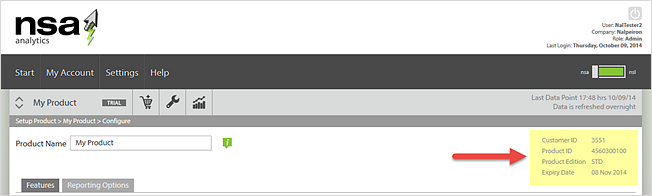
On the right of the page you will see the details you need.
Download sample projects
Download the example project you need.
Getting Started Example (with .Net)
1Extract Shafer.cs from the example project; add this Class to your Application. Below is an
example using Visual Studio.
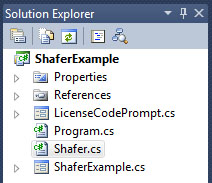
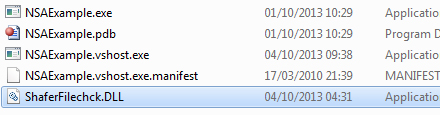
You will have setup a product and downloaded the Nalpeiron support library in an earlier step. 2Ensure the Shaferfilechck.dll is now in your applications bin directory and move on to the next step.
3Now create 2 variables (CustomerID and ProductID) which will be available to your Application Load event and set them to the values for your NSA/NSL product in your code. The CustomerID and ProductID are internal Nalpeiron numbers issued to you, they are unique to you and should be kept secret.
-
Now you have the CustomerID and ProductID you can proceed to add them to the code example.
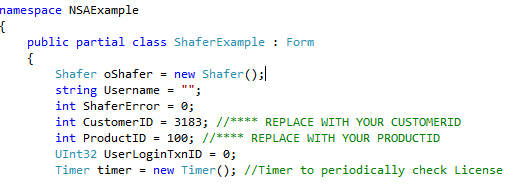
Shafer oShafer = new Shafer();
| CustomerID (Int) | Set to your Nalpeiron CustomerID. |
|---|---|
| ProductID (Int) | Set to you Nalpeiron ProductID. |
public int init(int CustomerID, int ProductID)
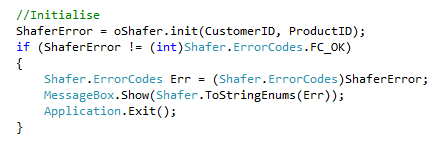 6Setup your ApplicationStart Logging, please add code to call the following functions located in the Shafer.cs class to your application start event
| Parameters | Description |
|---|---|
| Username (string) | This is the recorded username of user starting the application, if not required or available set to empty string. |
| Applanguage (string) | Set to the ISO 2 digit language code for the applications running Language. |
| Version (String) | Set to your applications Major version number. |
| Build (String) | Set to your applications Build Number. |
| Edition (String) | Set to your applications Edition. |
| LicenseStatus (String) | Set to your applications License Status. If using NSL use return value from GetLicenseStatus as shown below |
public int ApplicationStart(string Username, string AppLanguage, string Version, string Build, string Edition, string LicenseStatus)
Example: 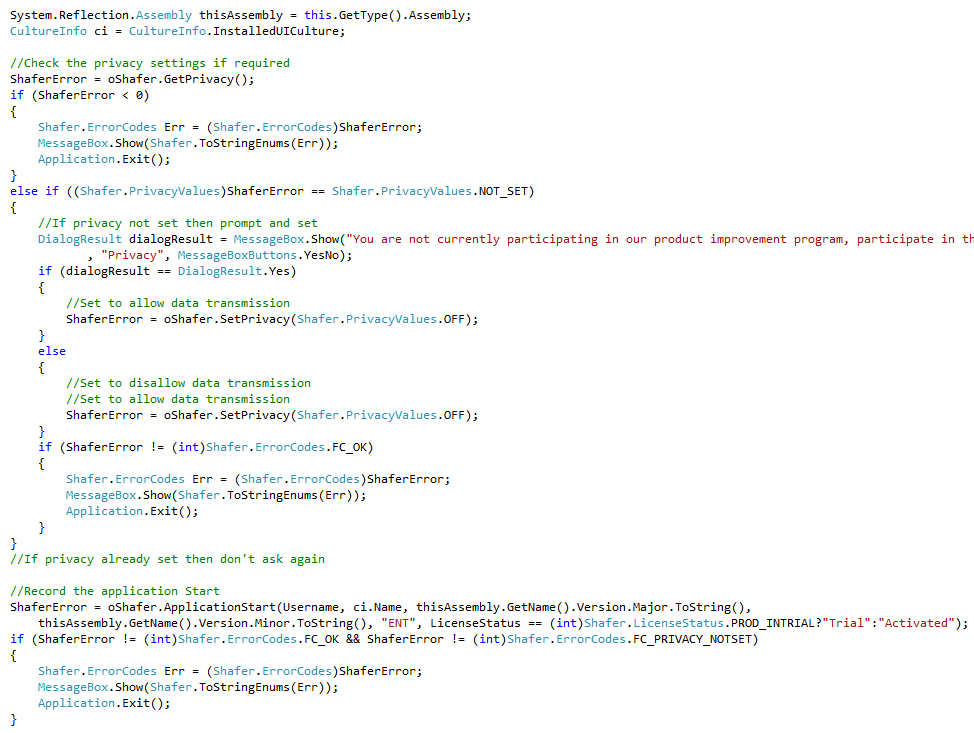 7Setup your ApplicationEnd logging, please add code to call the following function located in the NSA.cs class to your application exit event.
| Function | Parameters |
|---|---|
| ApplicationExit | NONE |
public int ApplicationEnd()
Example:  8Setup your Exception Logging (if required), please add code to call the following function located in the NSA.cs class to your applications Global error handler.
| Function | Parameters | Description |
|---|---|---|
| Exception | Username (String) | This is the recorded username of user running the application, if not required or available set to empty string. |
| ExceptionCode (string) | This is the errorcode of the exception thrown. | |
| Description (String) | This is the description of the error thrown. |
public int Exception(string Username, string ExceptionCode, string Description
Example: 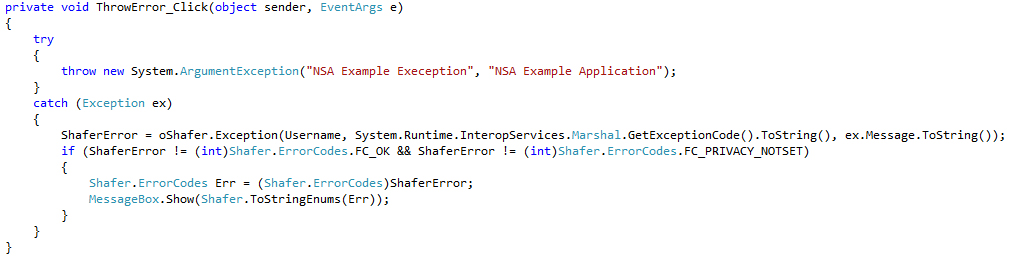 9Setup your Feature Availability and logging, please add code to call the following functions located in the NSA.cs class to each feature in your application you would like to be recorded.
| Function | Parameters | Description |
|---|---|---|
| GetFeatureStatus | FeatureCode (String) | The feature code setup on the NSA server to check for availability. |
| TxnID (Uint32) | Set to 0 | |
| FeatureStart | Username (String) | This is the recorded username of user running the application, if not required or available set to empty string. |
| FeatureCode (String) | The feature code setup on the NSA server which records the required feature usage. | |
| TxnID (ref Uint32) | Returned is the Transaction ID specific for this FeatureStart and must be passed to the corresponding FeatureEnd | |
| FeatureEnd | Username (String) | This is the recorded username of user running the application, if not required or available set to empty string. |
| FeatureCode (String) | The feature code setup on the NSA server which records the required feature usage. | |
| TxnID (Uint32) | The Transaction ID returned from the associated FeatureStart |
public int GetFeatureStatus(string FeatureCode, UInt32 TxnID) - Check Feature is available for the current license

public int FeatureStart(string Username,string FeatureCode, ref UInt32 TxnID) - Record Feature Has Started

public int FeatureEnd(string Username,string FeatureCode, UInt32 txnID) - Record Feature has ended
Example: 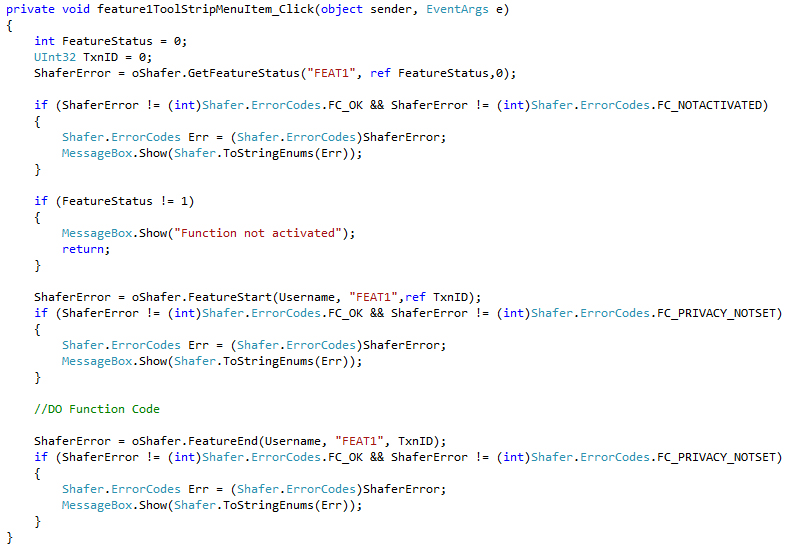 10Setup your user logging, please add code to call the following functions located in the NSA.cs class in your code recording a user logon and logoff.
| Function | Parameters | Description |
|---|---|---|
| LogUserOn | Username (String) | This is the recorded username of the userlogging on. |
| TxnID (Uint32) | Returned is the Transaction ID specific for this LogUserOn and must be passed to the corresponding LogUserOff | |
| LogUserOff | Username (String) | This is the recorded username of the user logging off. |
| TxnID (Uint32) | The Transaction ID returned from the associated LogUserOn |
public int LogUserOn(string Username)
public int LogUserOff(string Username)
Example: 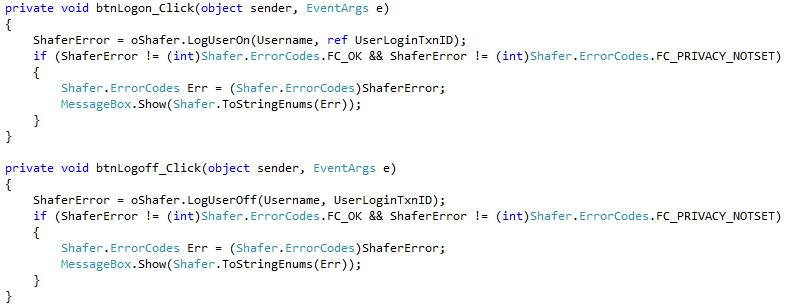
11Build, run and test your application.