
Introduction
Zentitle has a built-in software trial functionality that enables you to provide a free version of your software to prospective customers Your trials can be configured to be time-limited and/or feature limited as required. To learn more about managing feature entitlements in your software with Zentitle, please see this article for further details.
Getting started
To get started please ensure you have the credentials to hand you got sent with your trial or account purchase and proceed as below.
1Login to my.nalpeiron.com
Configuring trials for your product
Once you are logged in, you can set the default behaviour of trials for your selected product by clicking the "wrench" icon and then the Configure option. This will take you to the product configuration page where you can set various properties for trials.
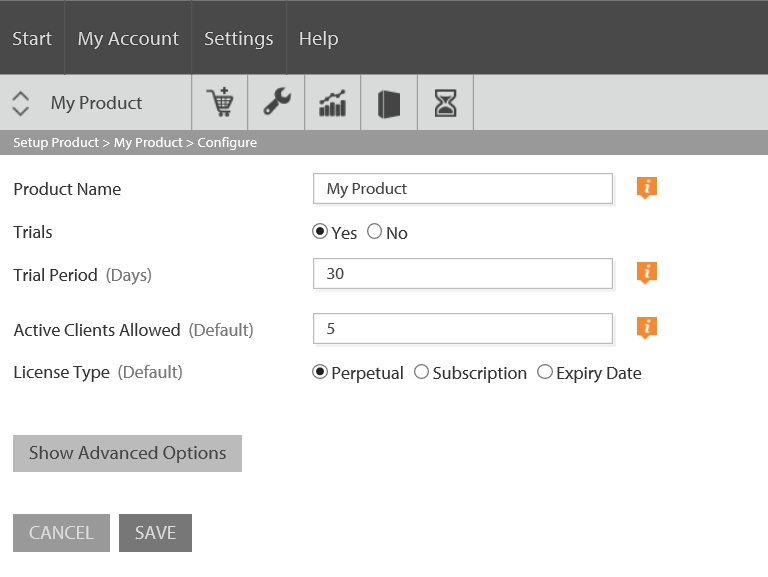
You will be presented with the following basic options:
- Trials: click 'Yes' or 'No' to specify whether or not trials should be enabled for your product.
- Trial Period (Days): The length of a trial before it expires.
Clicking the Show Advanced Options button will display further options with trial-specific aspects that can be configured:
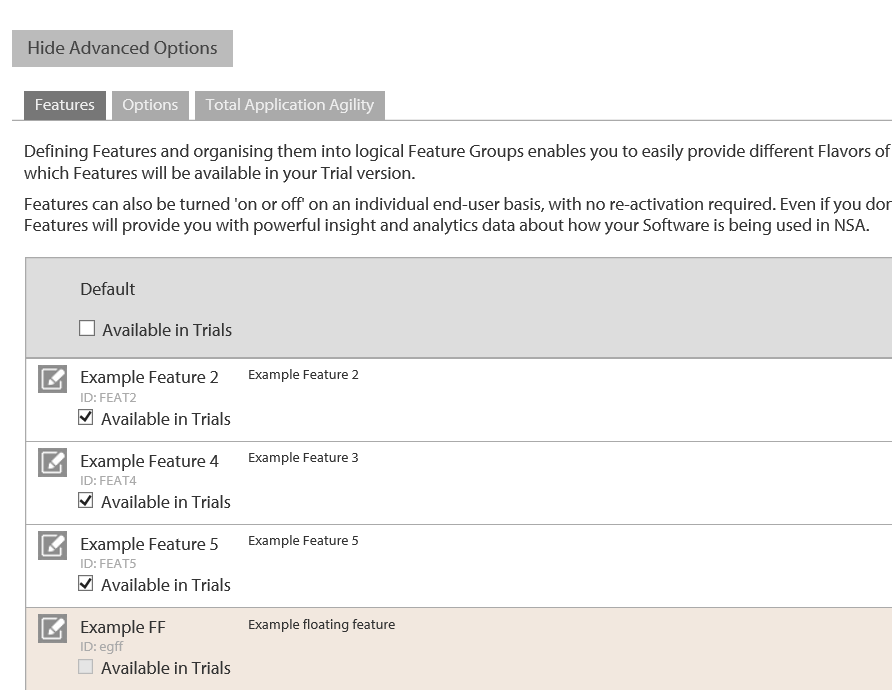
The 'Features' tab (see here to find out more about Features) enables to specify whether or not the each of the Features you have defined for your product is enabled for trials.
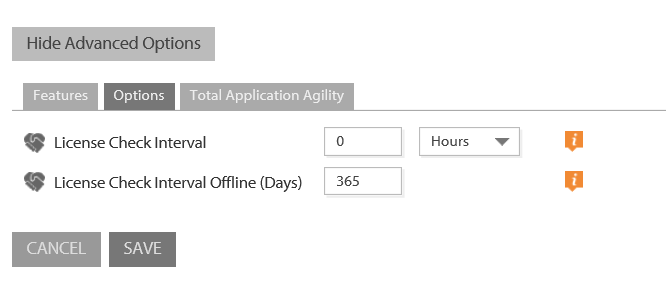
The 'Options' tab enables you to set the license check interval for your product which apply equally to trials and licensed activations. You can find out more about license check intervals here.
Finally, the Total Application Agility functionality of Zentitle can be enabled for both trial and licensed end-users.
Search and edit your trial users
Once you are logged in click the "timer" icon to manage your trials.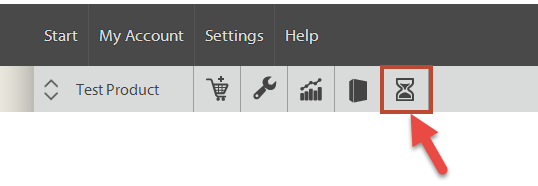
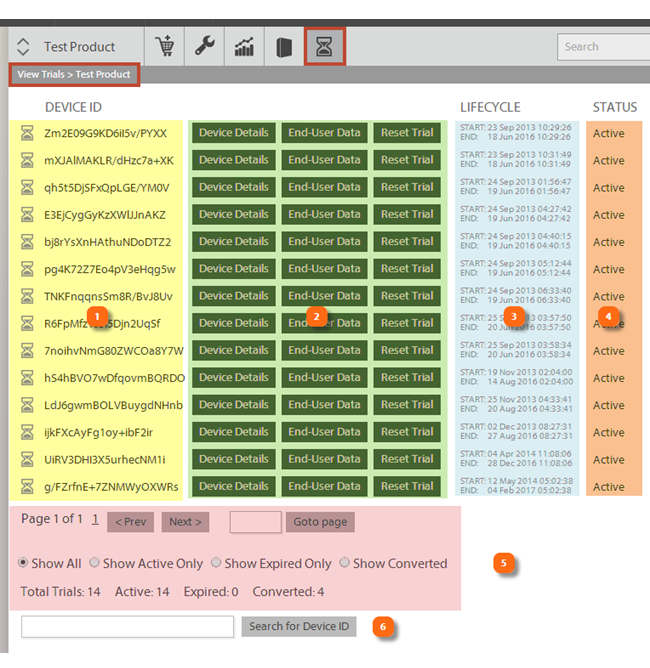
Working within the trial dashboard you will see 6 main areas:
1A list of "Device ID". This is a proprietary number created by Zentitle to uniquely ID a client side installation or device.
2Three buttons that allow you to learn more about each client installation (device details), to review any captured End User data on a trial license and to reset the trial on the server side for trial extensions.
3Lifecycle data about the trial start/end dates.
4Status of the trial, active or not.
5Page navigation and filters. You can quickly filter the list based on several parameters, all, active trials, expired trials and those that are activated (converted).
6Device search. You can search for a user installation (device) to reset a trial, or learn more about that specific installation. (more below)
In addition there is an extended view that includes more data for "converted" trials.
You can only see this view if you have sales in the system where a trial has been converted to an activated state.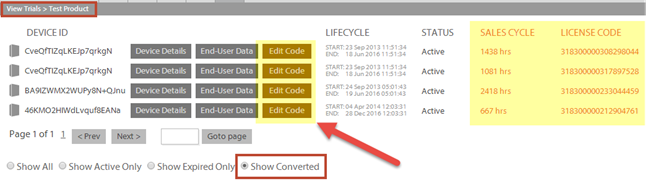
This view has two main additions, a replacement button for the trial reset to a "code edit" button and also sales cycle data. The code edit button allows you to manage the license code entitlements, see the article about Managing Licenses for more information. The sales cycle data shows the elapsed time between the trial start and activation and the license code consumed if converted.
Working with trials is simple, and you use the Computer ID as the basic anonymous ID to find out more about the user or to work with them.
Understanding more about your trial users
If you select a user from your list of trials you can dive deeper into that specific end user machine on the client.
Clicking on the device details button shows you detailed analytics about this installation, and you could have a number of client installations per license code.
Understand the hardware, system configuration, platforms, operating systems and locale the majority of users are now on so you know how to target your new product engineering.
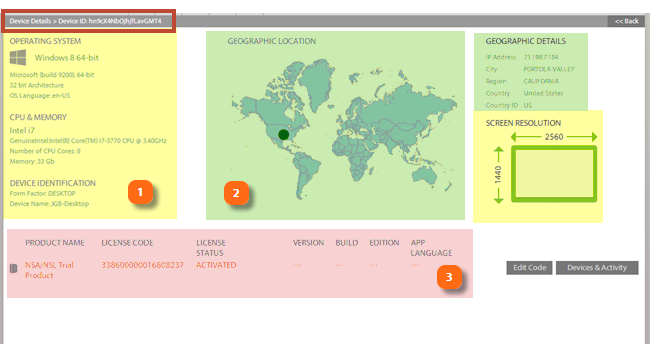
The system details section has three main areas:
- The "environment" data from the machine such OS, CPU etc.
- The "geographic" details about the location of the installation.
- The "application" information such as data from the field on versions and status.
The "environment" data
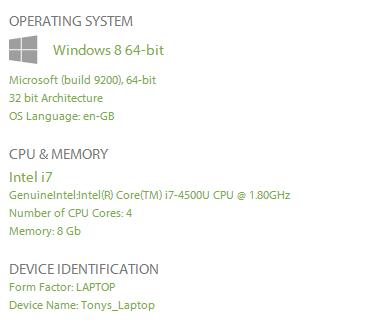
Insight into your users' environments lets you support the technologies which really matter and allows you to develop your software to perform optimally on most of your installed base computers.
The "geographic" details
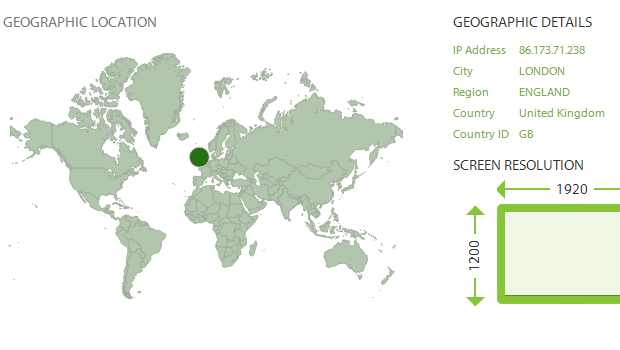
Easily visualize a complete analysis of your users based on their demographic information. Also useful in capturing users in locations you were not expecting, and shutting them down.
Use up to date version data from the field to drive decisions. See how popular each version of your application is and how important this version is comparing to the others.
Finding and resetting a trial user by Computer ID
Often trial users need more time to try your demo or trial version, using the method below you can easily and quickly reset their trial.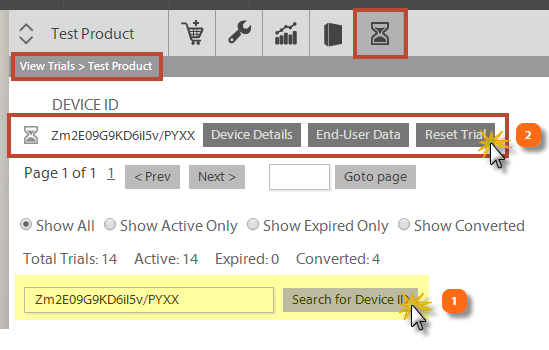
1First you need the user to send you their "ComputerID/DeviceID" (as outlined above), once you have this data you can quickly search for their client data within the Publisher Center.
2Once you have located a device within the system, you click the "reset trial" to set it back to it's default parameters e.g. 30 days (from now) or whatever the trial period was originally. 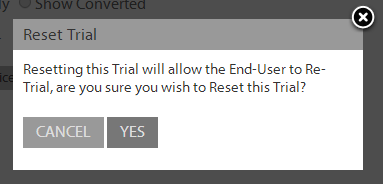
You will be prompted to ensure you are sure you want to reset the trial period, if you do then go ahead and it will allow the end user to start over on the trial period.
Finding and resetting a trial user by Registration Data
You can also search for and reset the trial of a specific user on the basis of their registration data. You can design your application to take any combination of the following consumer registration fields:
- First name
- Last Name
- Company
- Telephone Number
and send them to our server, which will enable them to be searchable on our portal. Please see the documentation on how to code your application for details of how to do this.
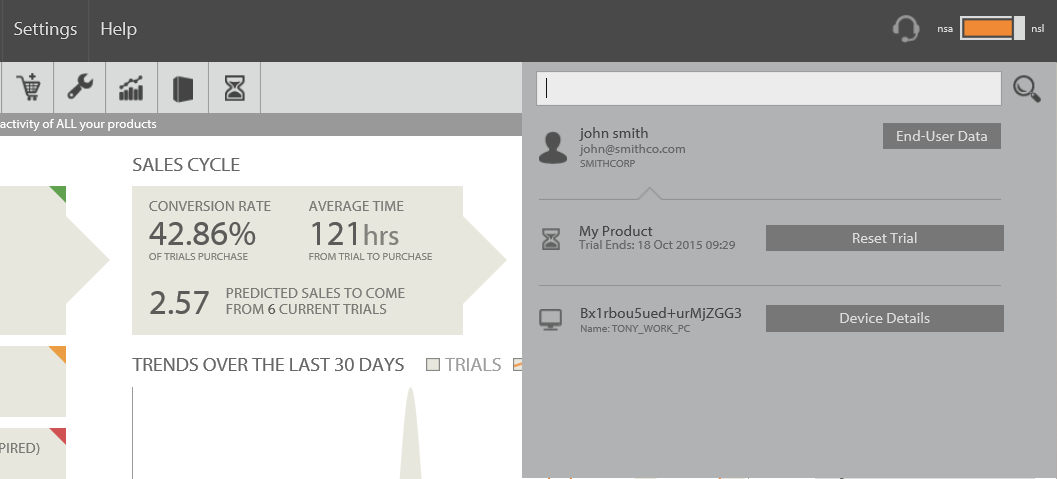
As shown below, we have an example of a search for 'John' which returns this end user's data. If they are on a trial, you can reset their trial simply by clicking the 'Reset Trial' button.
Offline Activation of Trials
Trials can activated online or offline.