
How integration works
To integrate Zentitle into your Application it's a simple process of adding our Library to your project and calling it from your application code.
At a high level, you may consider the architecture as follows:
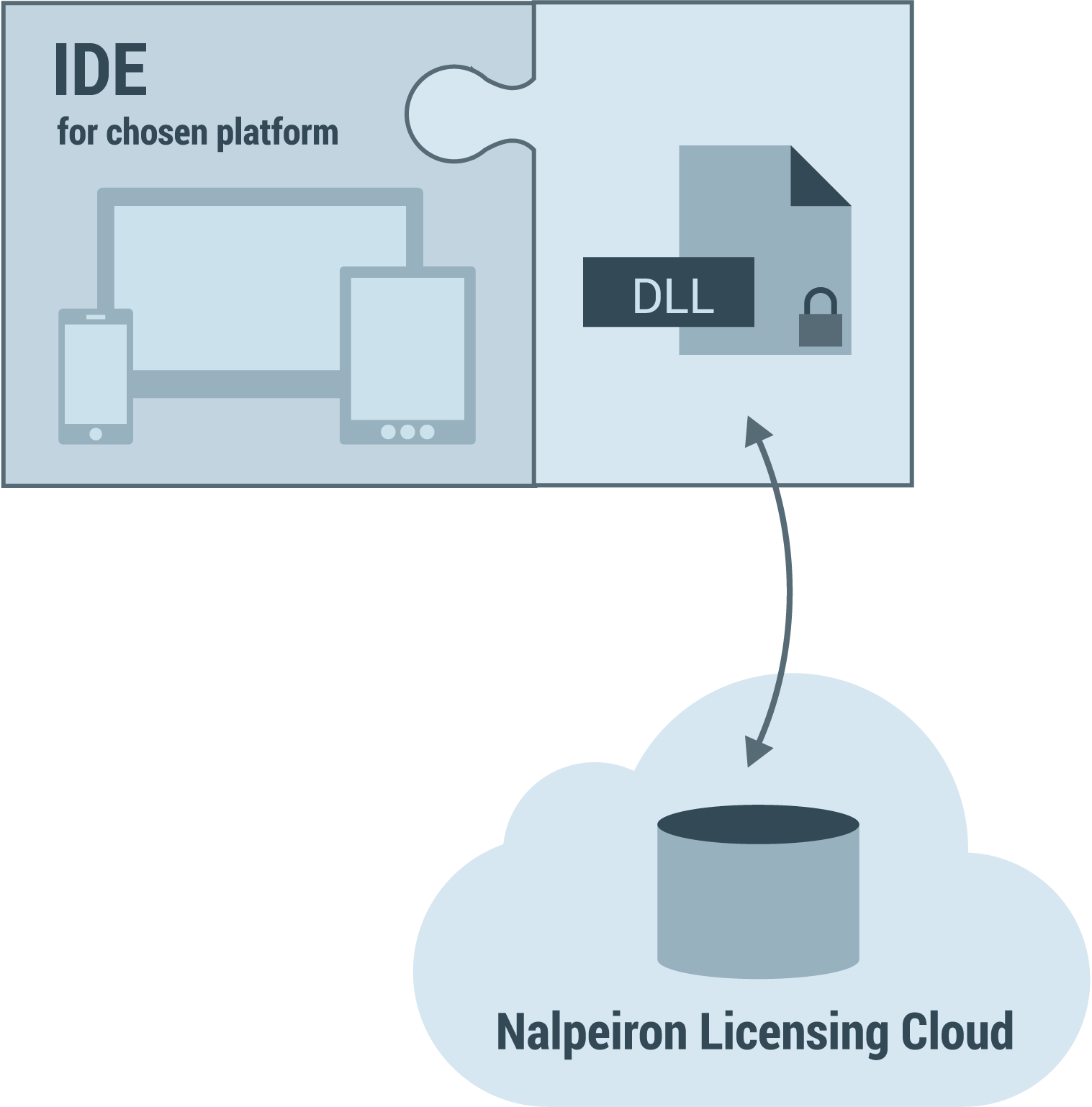
The above diagram is showing the library DLL - which must be created, downloaded and placed within the /bin or root folder of your application. The DLL makes the relevant calls to the Zentitle Cloud Licensing Service. You can reference the created DLL from any application using your favored IDE.
For definiteness, we will frequently refer to the dynamic library file as a DLL, which it is in MS Windows. Please take this to imply the file type appropriate to your operating system, e.g. a dynamic library (.dylib) file in MacOS or a dynamically-linked shared object (.so) file in Linux.
How we think about "products"
Zentitle uses a "product" paradigm to manage the way our service segments things you wish to track. It's not a literal requirement to have various products. You can use the idea to segment anything you wish such as hardware or other components that may or may not strictly be "products" as such. In normal use, you will want to configure a "product" for each of the applications you wish to separately license.
When configuring your product you can simply name it, set up your license business model, download a library - or go deeper with advanced options like feature controls and much more.
A few things to remember when trialing Zentitle
- To do a trial you don't need your own project or code, you can use our test suite and your Customer ID and Products ID (provided in your dashboard).
- The logout period for the server back-end is set to 30mins, if you leave screens open they may timeout, it's no issue just be aware.
- Testing requires an agile mind and careful thought as this is security software, if testing on one machine make a careful note of the steps you take in testing as it gets confusing fast and we get a lot of support incidents in this area that are simply about being careful, not the products, save yourself wasted time in this area by being extra methodical and noting down everything you have tested in what order and when.
Next steps
We have supplied a variety of downloadable projects for you and it is recommended that you download the relevant project based upon the language you intend to use for your end application.
Currently, we have full GUI-based examples in C#, VB.NET and Java (using Eclipse.) We also have command line-based tet applications (SDKs) in C/C++ and Java.
The rest of this section of the documentation explains each code example and provides source code for you to get started quickly with integration.
What will you need?
To integrate you application with Zentitle you will need your:
- Downloaded DLL (Download the required Zentitle Library).
Product ID and Customer ID - Get these values from the Zentitle UI.
Note the use of the ProductID. With the ProductID you only input the last 5 digits, excluding leading zeros , into your code i.e. 6563300100 becomes 100 and 1234567890 becomes 67890 .
- The values of the three security constants you chose when creating your Zentitle library.
- Downloaded the sample project for your preferred language.
Now proceed to the article that refers to your IDE or programming language of choice.