
Adding and Managing Internal Users
Remember that the portal is storing sensitive and secure information so please do use long and secure passwords and have policies around who can access this portal to protect your own security.
First, log in to my.nalpeiron.com and click on "Settings", then "Users".
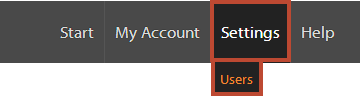
Only internal users with "admin" permissions can access this menu.
Once you enter the user section you will see your current user list.
- This list does not include you; your details are found under "My Account" >> "My Details".
Click on "add a new user" to get started.

Adding a user is very straightforward as you can see below. Please ensure you use a secure password.
All passwords must have: Min 8 Chars, 1 Uppercase, 1 Lower Case
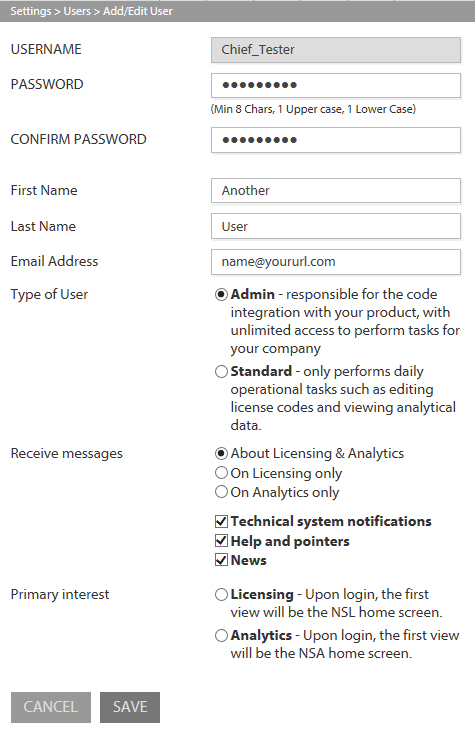
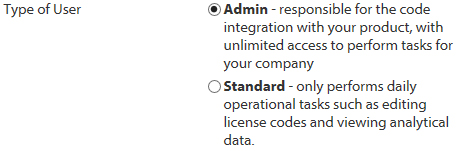
You will also want to set the "user permission" level, only admin level can access the settings drop-down menu:
Finally, you can set the unified login details "Initial View on Login" to start on either of core services, licensing (NSL) or analytics (NSA), whichever that person will use the most.